


When a member of the team leaves, the Super Admin or Team Admins can remove the member from the team list in User Management section.
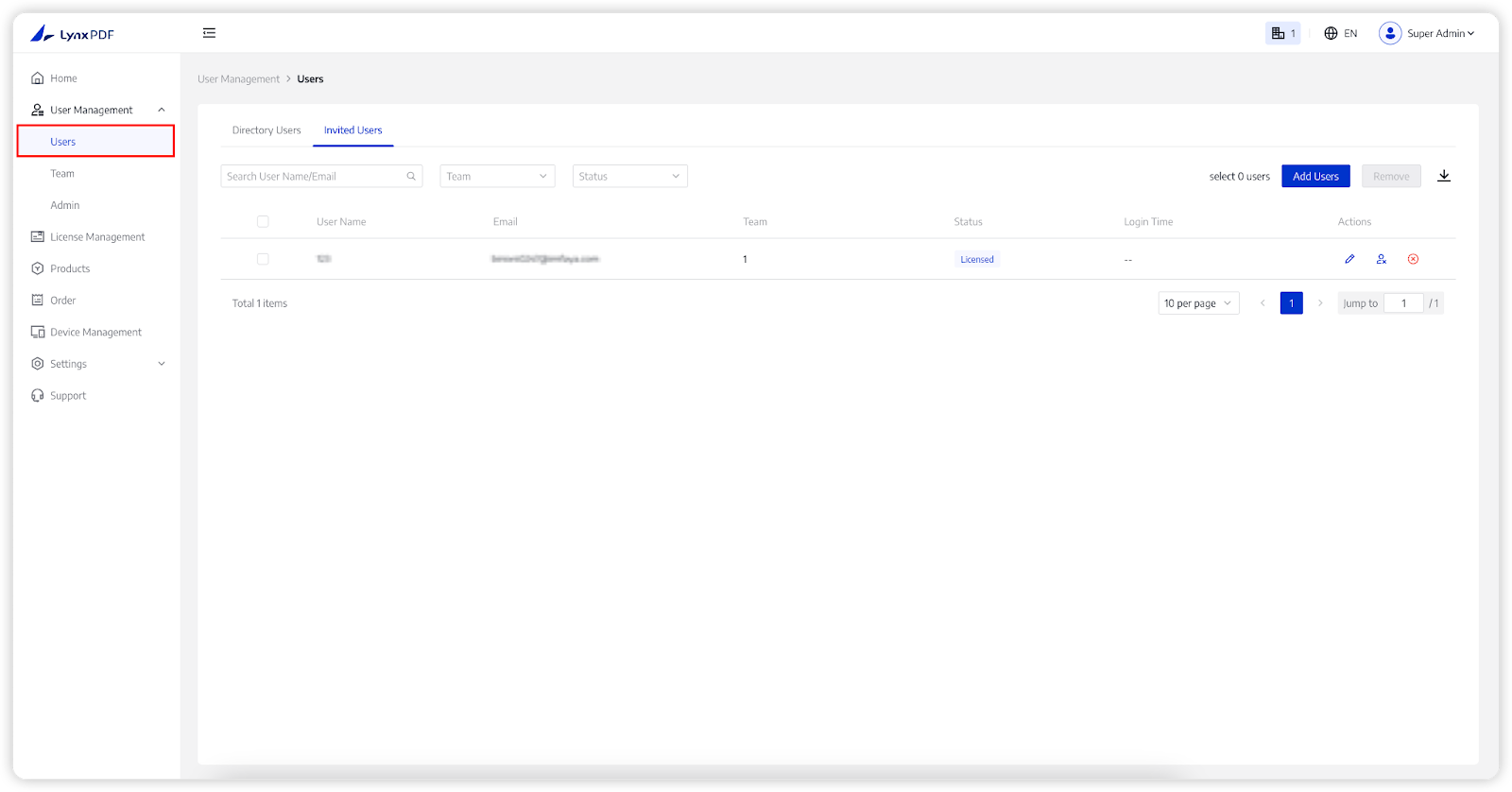
1. In the Admin Console, choose User Management -> Users;
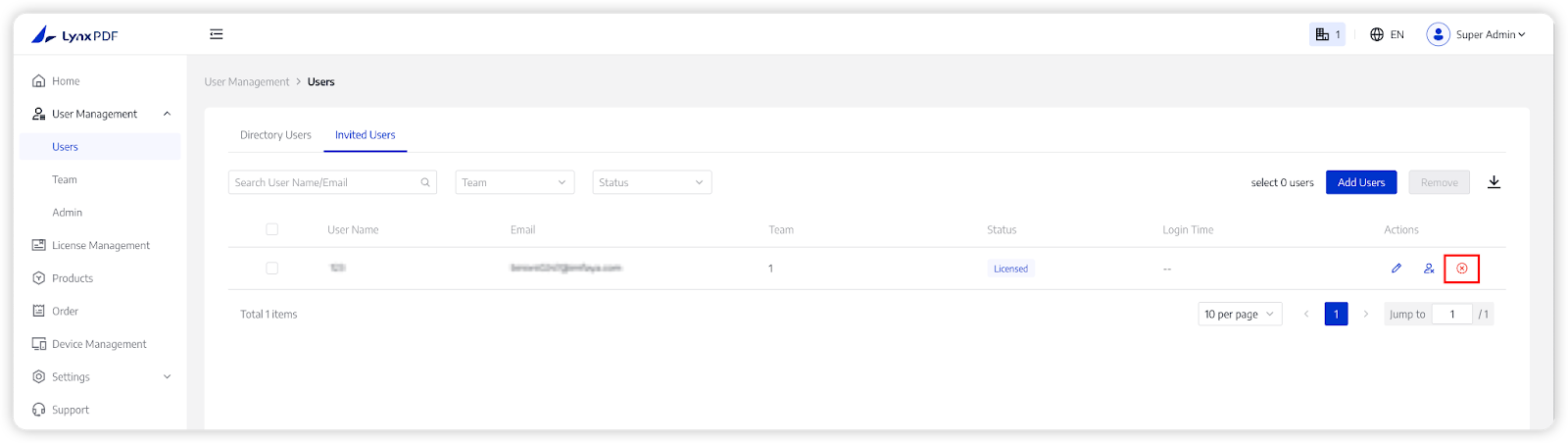
2. Click on Delete;
3. Tap Delete on the pop-up window to confirm again.
Note:
- The quota of a deleted member’s licenses will be automatically returned to the default team.

