


If you need to add many members to a team, to simplify the workflow, you can add them in batches as follows.
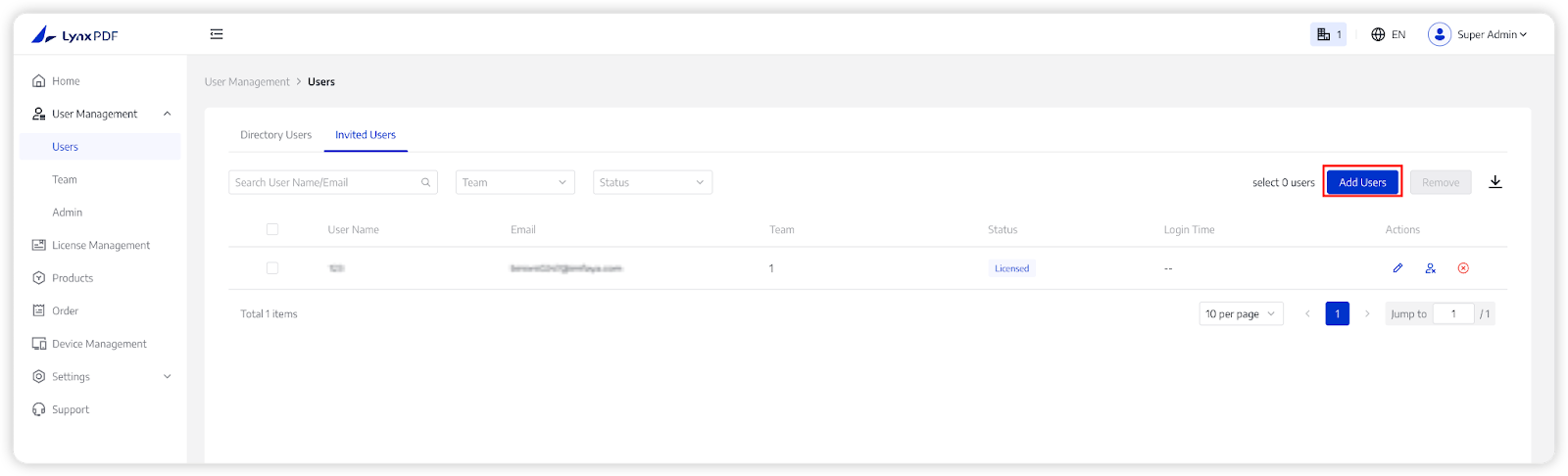
1. In the Admin Console, choose User Management -> Users;
2. Click Add User at the top right corner;
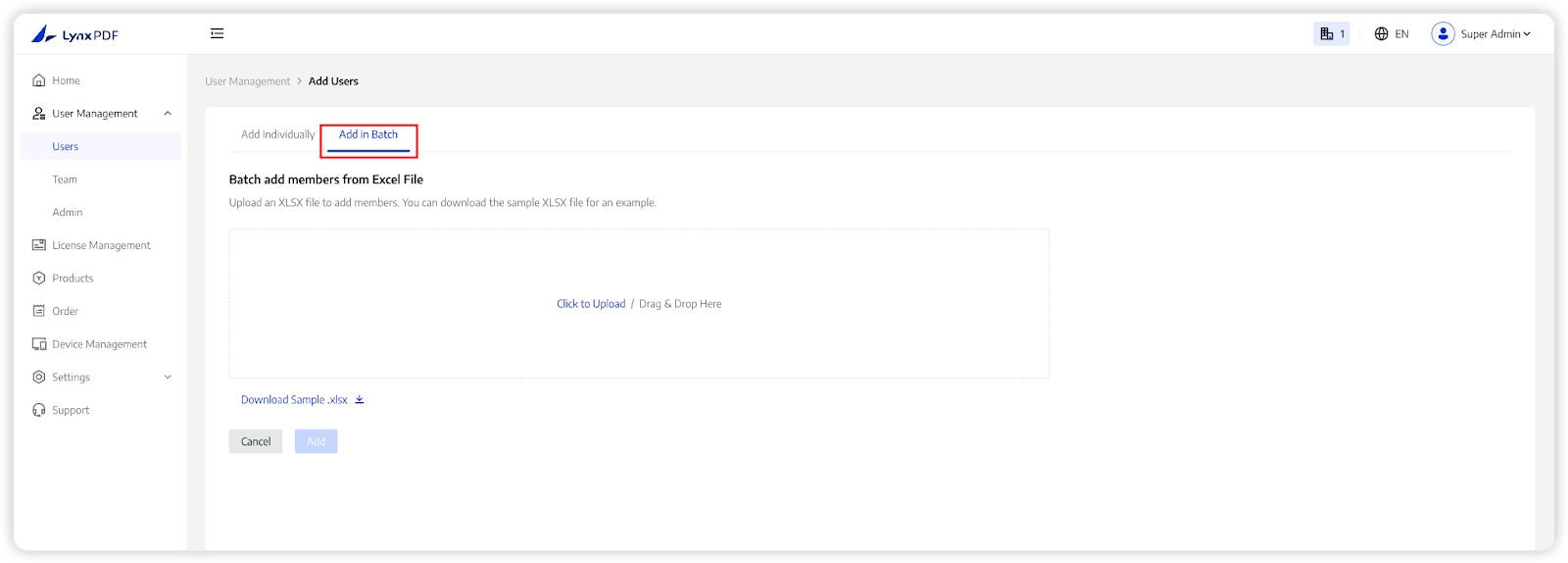
3. Choose Add in Batch and click Download the sample .xlsx file;
4. Enter your member information into the sample file, including user email, user name, and team name;
5. Upload the .xlsx file to Add Member page, and click Add.

