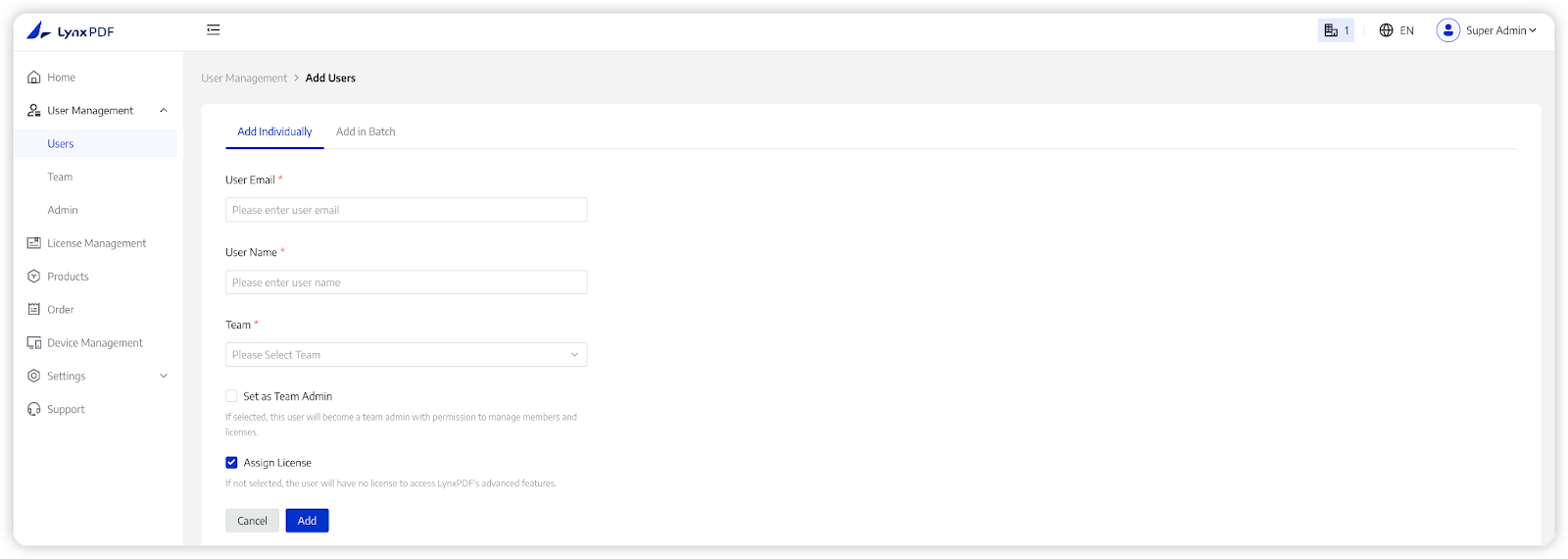
When a member of the team joins, the Super Admin or Team Admins can add the member from the team list in User Management section. You can follow the steps to operate:
1. In the Admin Console, select User Management -> Users;
2. Click Add Members in the upper right corner;
3. Choose Add individually and fill in the following information;
- User Email: the email address that team members use to receive licenses.
- User Name: the name of the member.
- Team: Select a team for the member via the drop-down box.
- Set as Team Admin: grant the member team-admin permissions.
- Assign License: give the member access to LynxPDF’s full features.
4. Tab Add to save the new user successfully.