


LynxPDF can convert scanned PDFs into fully editable documents, allowing you to search, copy, and edit text directly instead of working with static images.
1. Open the scanned PDF in LynxPDF;
2. Go to Scanned Document in the Toolbar, then click Convert to Editable PDF(OCR);
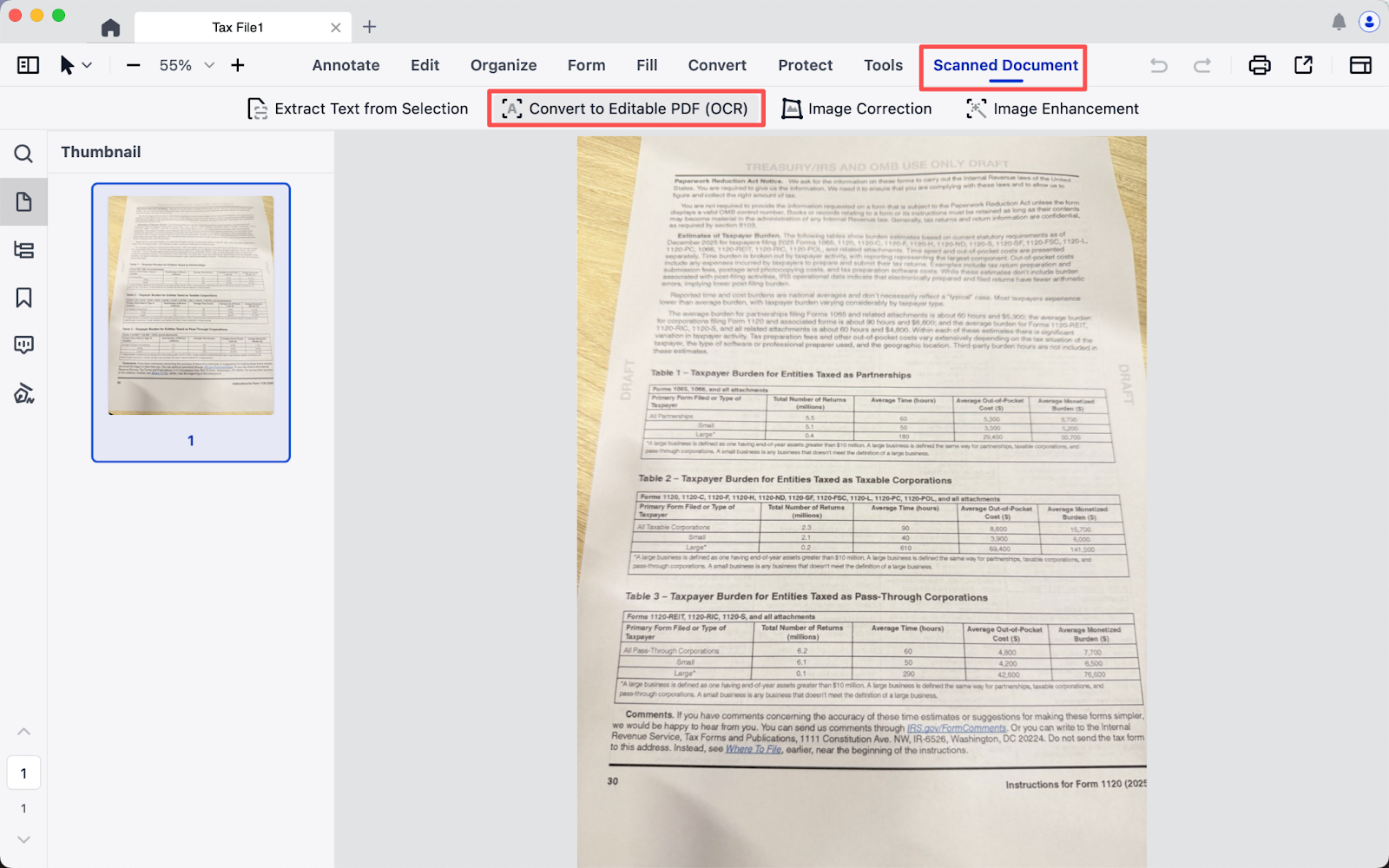
3. Set your desired Language, Page Range and Format, click Start processing;
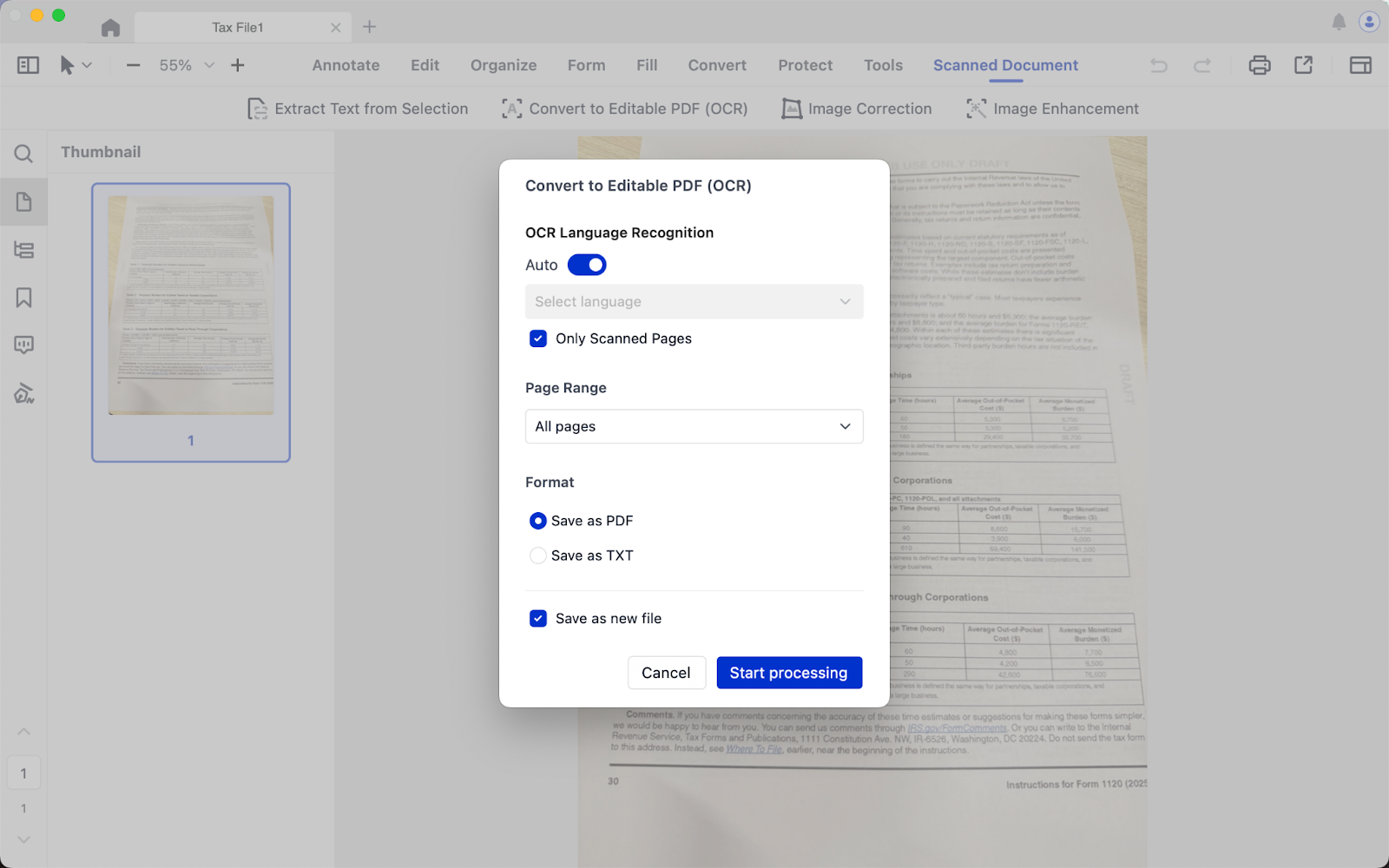
4. Download the Conversion component and OCR component;
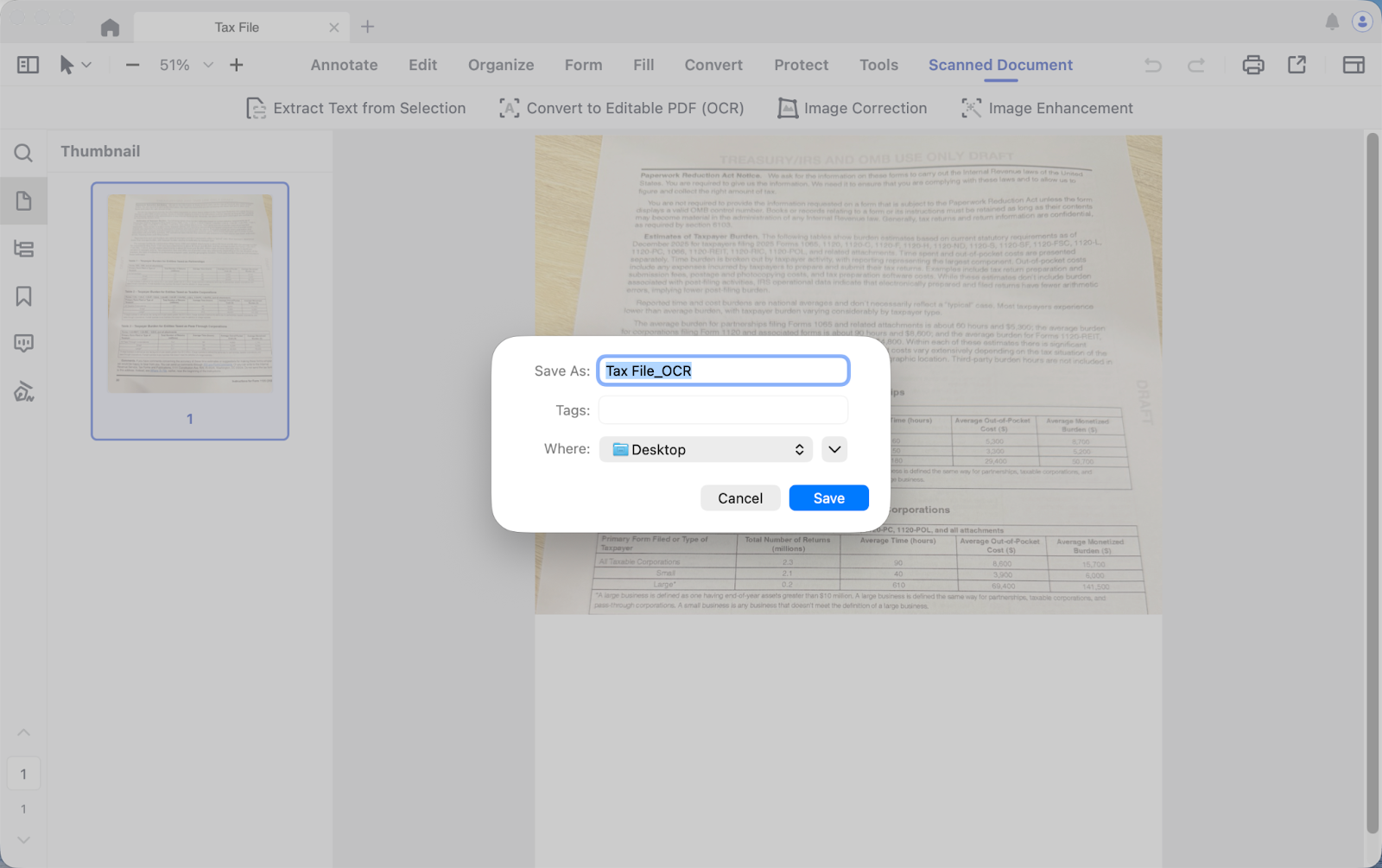
5. Once completed, you will see an editable PDF file pop up. Save and open it to edit the file.
Download LynxPDF and turn scanned files into editable PDFs with OCR.

