Afghanistan
Aland Islands
Albania
Algeria
American Samoa
Andorra
Angola
Anguilla
Antigua and Barbuda
Argentina
Armenia
Aruba
Australia
Austria
Azerbaijan
Bahamas
Bahrain
Bangladesh
Barbados
Belarus
Belgium
Belize
Benin
Bermuda
Bhutan
Bolivia
Bonaire, Sint Eustatius and Saba
Bosnia and Herzegovina
Botswana
Bouvet Island
Brazil
Brit. Indian Ocean
British Virgin Islands
Brunei Darussalam
Bulgaria
Burkina Faso
Burundi
Cambodia
Cameroon
Canada
Cape Verde
Cayman Islands
Central African Republic
Chad
Chile
China
Christmas Island
Cocos Islands
Colombia
Comoros
Congo
Cook Islands
Costa Rica
Cote D'Ivoire
Croatia
Curaçao
Cyprus
Czech Republic
Denmark
Djibouti
Dominica
Dominican Republic
Ecuador
Egypt
El Salvador
Equatorial Guinea
Eritrea
Estonia
Ethiopia
Falkland Islands
Faroe Islands
Fiji
Finland
France
French Guiana
French Polynesia
French Southern Terr.
Gabon
Gambia
Georgia
Germany
Ghana
Gibraltar
Greece
Greenland
Grenada
Guadeloupe
Guam
Guatemala
Guernsey
Guinea
Guinea-Bissau
Guyana
Haiti
Heard/ Mcdonald Islands
Holy See/ Vatican City
Honduras
Hong Kong
Hungary
Iceland
India
Indonesia
Iraq
Ireland
Isle of Man
Israel
Italy
Jamaica
Japan
Jersey
Jordan
Kazakhstan
Kenya
Kiribati
Kuwait
Kyrgyzstan
Lao People's DR
Latvia
Lebanon
Lesotho
Liberia
Libyan Arab Jamahiriya
Liechtenstein
Lithuania
Luxembourg
Macao
Macedonia
Madagascar
Malawi
Malaysia
Maldives
Mali
Malta
Marshall Islands
Martinique
Mauritania
Mauritius
Mayotte
Mexico
Micronesia
Moldova
Monaco
Mongolia
Montenegro
Montserrat
Morocco
Mozambique
Myanmar
Namibia
Nauru
Nepal
Netherlands
Netherlands Antilles
New Caledonia
New Zealand
Nicaragua
Niger
Nigeria
Niue
Norfolk Island
Northern Mariana Islands
Norway
Oman
Pakistan
Palau
Palestinian Territory
Panama
Papua New Guinea
Paraguay
Peru
Philippines
Pitcairn
Poland
Portugal
Puerto Rico
Qatar
Republic of Serbia
Reunion
Romania
Russian Federation
Rwanda
S. Georgia/ Sandwich Islands
Saint Helena
Saint Kitts and Nevis
Saint Lucia
Saint Martin
Saint Pierre and Miquelon
Saint Vincent/ Grenadines
Samoa
San Marino
Sao Tome and Principe
Saudi Arabia
Senegal
Seychelles
Sierra Leone
Singapore
Slovakia
Slovenia
Solomon Islands
Somalia
South Africa
South Korea
Spain
Sri Lanka
Sudan
Suriname
Svalbard and Jan Mayen
Swaziland
Sweden
Switzerland
Taiwan
Tajikistan
Tanzania
Thailand
Timor-Leste
Togo
Tokelau
Tonga
Trinidad and Tobago
Tunisia
Turkey
Turkmenistan
Turks and Caicos Islands
Tuvalu
U.S. Virgin Islands
Uganda
Ukraine
United Arab Emirates
United Kingdom
United States
United States (M.O.I.)
Uruguay
Uzbekistan
Vanuatu
Venezuela
Viet Nam
Wallis and Futuna
Western Sahara
Yemen
Zambia
Zimbabwe
No results found
+93-Afghanistan
+355-Albania
+213-Algeria
+1-American Samoa
+376-Andorra
+244-Angola
+1-Anguilla
+672-Antarctica
+1-Antigua and Barbuda
+54-Argentina
+374-Armenia
+297-Aruba
+61-Australia
+43-Austria
+994-Azerbaijan
+1-Bahamas
+973-Bahrain
+880-Bangladesh
+1-Barbados
+375-Belarus
+32-Belgium
+501-Belize
+229-Benin
+1-Bermuda
+975-Bhutan
+591-Bolivia
+387-Bosnia and Herzegovina
+267-Botswana
+55-Brazil
+246-British Indian Ocean Territory
+673-Brunei
+359-Bulgaria
+226-Burkina Faso
+257-Burundi
+855-Cambodia
+237-Cameroon
+1-Canada
+238-Cape Verde
+1-Cayman Islands
+236-Central African Republic
+235-Chad
+56-Chile
+86-China
+61-Christmas Island
+61-Cocos Islands
+57-Colombia
+269-Comoros
+243-Congo (DRC)
+242-Congo (Republic)
+682-Cook Islands
+506-Costa Rica
+225-Côte d'Ivoire
+385-Croatia
+53-Cuba
+357-Cyprus
+420-Czech Republic
+45-Denmark
+253-Djibouti
+1-Dominica
+1-Dominican Republic
+593-Ecuador
+20-Egypt
+503-El Salvador
+240-Equatorial Guinea
+291-Eritrea
+372-Estonia
+268-Eswatini
+251-Ethiopia
+500-Falkland Islands
+298-Faroe Islands
+679-Fiji
+358-Finland
+33-France
+594-French Guiana
+689-French Polynesia
+241-Gabon
+220-Gambia
+995-Georgia
+49-Germany
+233-Ghana
+350-Gibraltar
+30-Greece
+299-Greenland
+1-Grenada
+590-Guadeloupe
+1-Guam
+502-Guatemala
+224-Guinea
+245-Guinea-Bissau
+592-Guyana
+509-Haiti
+504-Honduras
+852-Hong Kong
+36-Hungary
+354-Iceland
+91-India
+62-Indonesia
+98-Iran
+964-Iraq
+353-Ireland
+972-Israel
+39-Italy
+1-Jamaica
+81-Japan
+962-Jordan
+7-Kazakhstan
+254-Kenya
+686-Kiribati
+850-North Korea
+82-South Korea
+965-Kuwait
+996-Kyrgyzstan
+856-Laos
+371-Latvia
+961-Lebanon
+266-Lesotho
+231-Liberia
+218-Libya
+423-Liechtenstein
+370-Lithuania
+352-Luxembourg
+853-Macau
+261-Madagascar
+265-Malawi
+60-Malaysia
+960-Maldives
+223-Mali
+356-Malta
+692-Marshall Islands
+596-Martinique
+222-Mauritania
+230-Mauritius
+262-Mayotte
+52-Mexico
+691-Micronesia
+373-Moldova
+377-Monaco
+976-Mongolia
+382-Montenegro
+1-Montserrat
+212-Morocco
+258-Mozambique
+95-Myanmar
+264-Namibia
+674-Nauru
+977-Nepal
+31-Netherlands
+687-New Caledonia
+64-New Zealand
+505-Nicaragua
+227-Niger
+234-Nigeria
+683-Niue
+672-Norfolk Island
+389-North Macedonia
+1-Northern Mariana Islands
+47-Norway
+968-Oman
+92-Pakistan
+680-Palau
+970-Palestine
+507-Panama
+675-Papua New Guinea
+595-Paraguay
+51-Peru
+63-Philippines
+48-Poland
+351-Portugal
+1-Puerto Rico
+974-Qatar
+262-Réunion
+40-Romania
+7-Russia
+250-Rwanda
+590-Saint Barthélemy
+290-Saint Helena
+1-Saint Kitts and Nevis
+1-Saint Lucia
+590-Saint Martin
+508-Saint Pierre and Miquelon
+1-Saint Vincent and the Grenadines
+685-Samoa
+378-San Marino
+239-Sao Tome and Principe
+966-Saudi Arabia
+221-Senegal
+381-Serbia
+248-Seychelles
+232-Sierra Leone
+65-Singapore
+1-Sint Maarten
+421-Slovakia
+386-Slovenia
+677-Solomon Islands
+252-Somalia
+27-South Africa
+211-South Sudan
+34-Spain
+94-Sri Lanka
+249-Sudan
+597-Suriname
+46-Sweden
+41-Switzerland
+963-Syria
+886-Taiwan
+992-Tajikistan
+255-Tanzania
+66-Thailand
+670-Timor-Leste
+228-Togo
+690-Tokelau
+676-Tonga
+1-Trinidad and Tobago
+216-Tunisia
+90-Turkey
+993-Turkmenistan
+1-Turks and Caicos Islands
+688-Tuvalu
+256-Uganda
+380-Ukraine
+971-United Arab Emirates
+44-United Kingdom
+1-United States
+598-Uruguay
+998-Uzbekistan
+678-Vanuatu
+58-Venezuela
+84-Vietnam
+1-British Virgin Islands
+1-U.S. Virgin Islands
+681-Wallis and Futuna
+967-Yemen
+260-Zambia
+263-Zimbabwe
No results found
Products
LynxPDF
Enterprise
LynxPDF for Windows
LynxPDF for Mac
LynxPDF for iOS
LynxPDF for Android
LynxPDF Web
Admin Console
Online Tools
All Tools
PDF to Word
PDF to Excel
PDF to PPT
PDF to Image
Merge PDFs
Compress PDF
Edit PDF
OCR PDF
Batch PDF to Word
Batch Compress
Features
New
View All Features
PDF Features
Edit PDFs
Convert PDFs
Annotate PDFs
Sign PDFs
Fill Form
View PDFs
OCR Technology
AI Features
Report Generation
Data Extraction
Contract Review
Security & Compliance
Document Translation
Document Q&A
Learn More
Solutions
New
Industry Solutions
Education
Legal Services
Government and Public Sector
Healthcare
Financial Services
View All
Workflow Solutions
New
Paper Document Digitization
Contract Review and Risk Marking
Electronic Signature Approval
Invoice PDF Archiving
Customer Onboarding
View All
Security & Deployment
New
Admin Console
Single Sign-On
Self-hosted Deployment
PDF Access Control
Microsoft Intune
View All
Resources
Resources
FAQs
Blog
White Papers
New
Case Study
About Us
Contact Us
GDPR Compliance
Compare Editions
Pricing
Partners
Contact Sales
Download Now
Log In
English (U.S.)
English (Australia)
English (Canada)
English (U.K.)
Français
Français (Canada)
Español (México)
Español
العربية
Русский язык
中文 (简体)
中文 (繁體)
Português (Brasil)
Português (Portugal)
Deutsch
हिन्दी
Bahasa Indonesia
Bahasa Melayu
日本語 (にほんご)
Italiano
Nederlands
Türkçe
Polski
Українська
Svenska
Ελληνικά
ภาษาไทย (Phasa Thai)
Tiếng Việt
한국어
Română
Čeština
Magyar
Suomi
עברית
Norsk
Dansk
Slovenčina
Hrvatski
Català
English (U.S.)
English (Australia)
English (Canada)
English (U.K.)
Français
Français (Canada)
Español (México)
Español
العربية
Русский язык
中文 (简体)
中文 (繁體)
Português (Brasil)
Português (Portugal)
Deutsch
हिन्दी
Bahasa Indonesia
Bahasa Melayu
日本語 (にほんご)
Italiano
Nederlands
Türkçe
Polski
Українська
Svenska
Ελληνικά
ภาษาไทย (Phasa Thai)
Tiếng Việt
한국어
Română
Čeština
Magyar
Suomi
עברית
Norsk
Dansk
Slovenčina
Hrvatski
Català
Products
LynxPDF
Enterprise
LynxPDF for Windows
LynxPDF for Mac
LynxPDF for iOS
LynxPDF for Android
LynxPDF Web
Admin Console
Online Tools
All Tools
PDF to Word
PDF to Excel
PDF to PPT
PDF to Image
Merge PDFs
Compress PDF
Edit PDF
OCR PDF
Batch PDF to Word
Batch Compress
Features
New
View All Features
PDF Features
Edit PDFs
Convert PDFs
Annotate PDFs
Sign PDFs
Fill Form
View PDFs
OCR Technology
AI Features
Report Generation
Data Extraction
Contract Review
Security & Compliance
Document Translation
Document Q&A
Learn More
Solutions
New
Industry Solutions
Education
Legal Services
Government and Public Sector
Healthcare
Financial Services
View All
Workflow Solutions
New
Paper Document Digitization
Contract Review and Risk Marking
Electronic Signature Approval
Invoice PDF Archiving
Customer Onboarding
View All
Security & Deployment
New
Admin Console
Single Sign-On
Self-hosted Deployment
PDF Access Control
Microsoft Intune
View All
Resources
FAQs
Blog
White Papers
New
Case Study
About Us
Contact Us
GDPR Compliance
Compare Editions
Pricing
Partners
Contact Sales
Log In
Download Now
Add
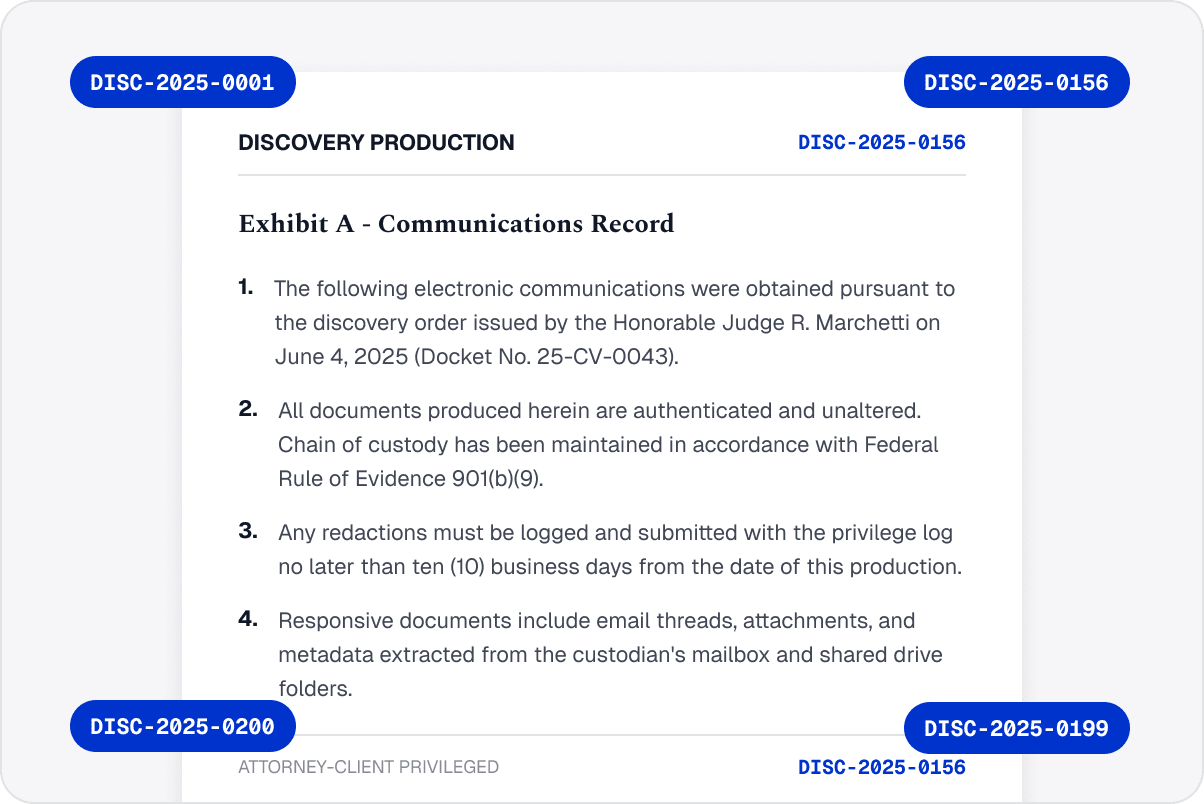
Bates Numbers
for Precise PDF Page References
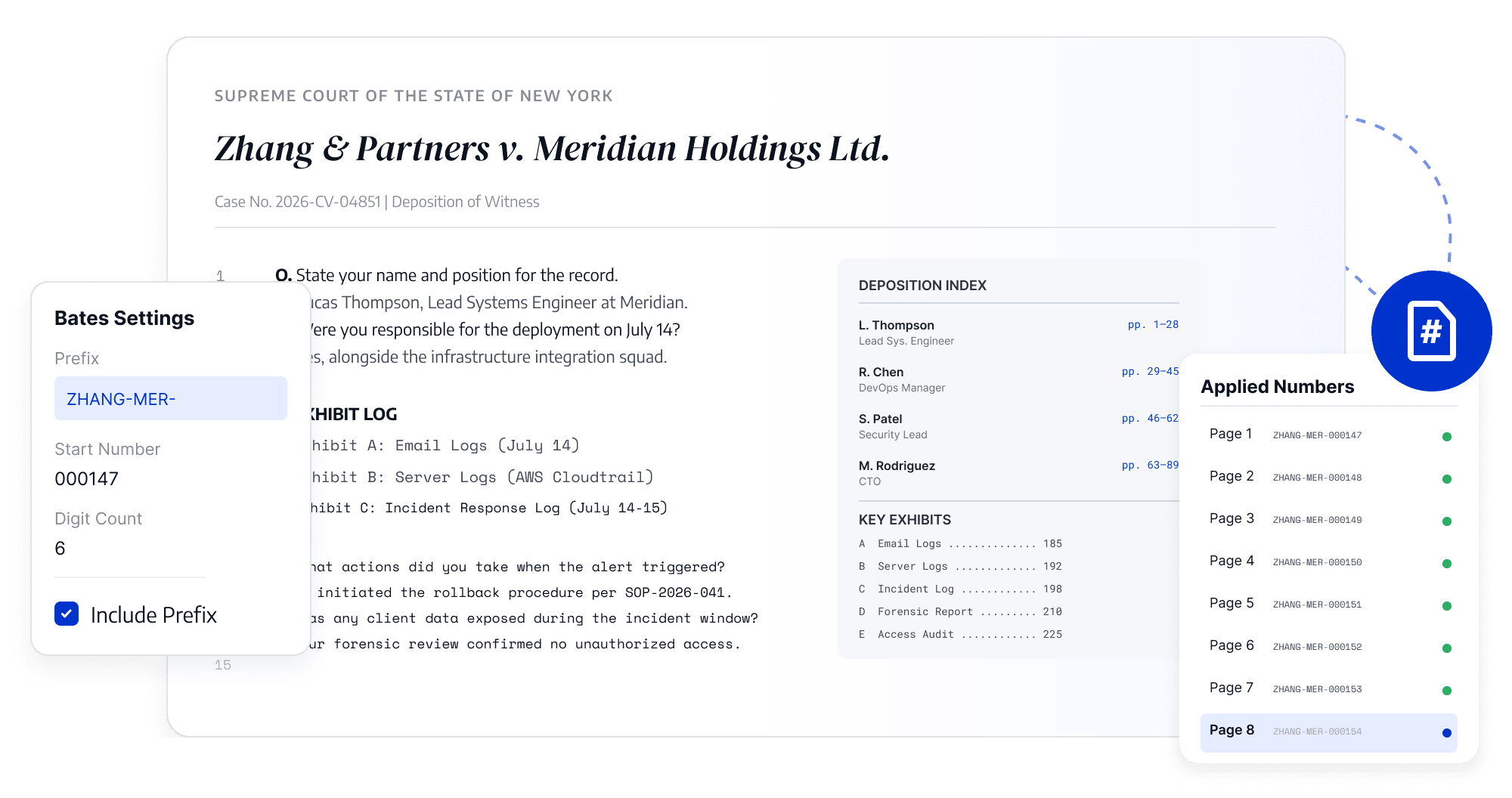
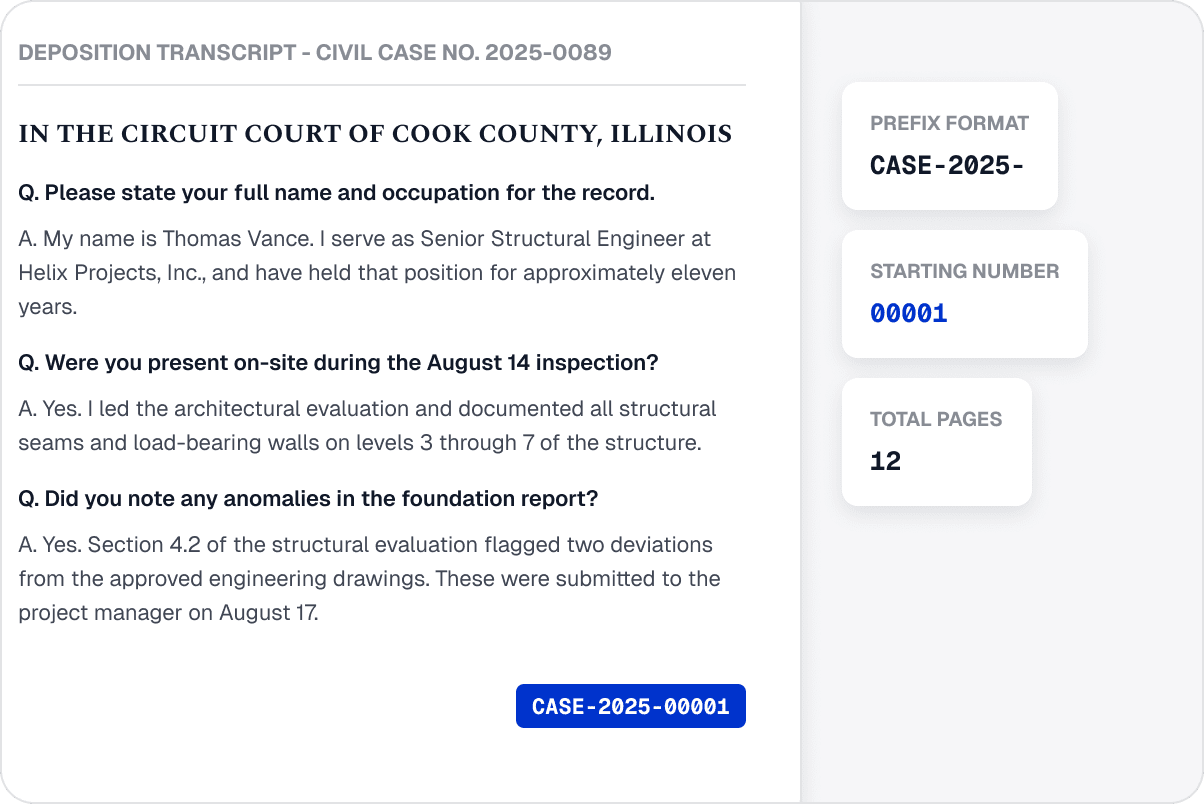
Add sequential Bates numbers to PDFs for accurate page references, document organization, and version tracking.
Contact Sales
Start Trial
Create Clear Page References
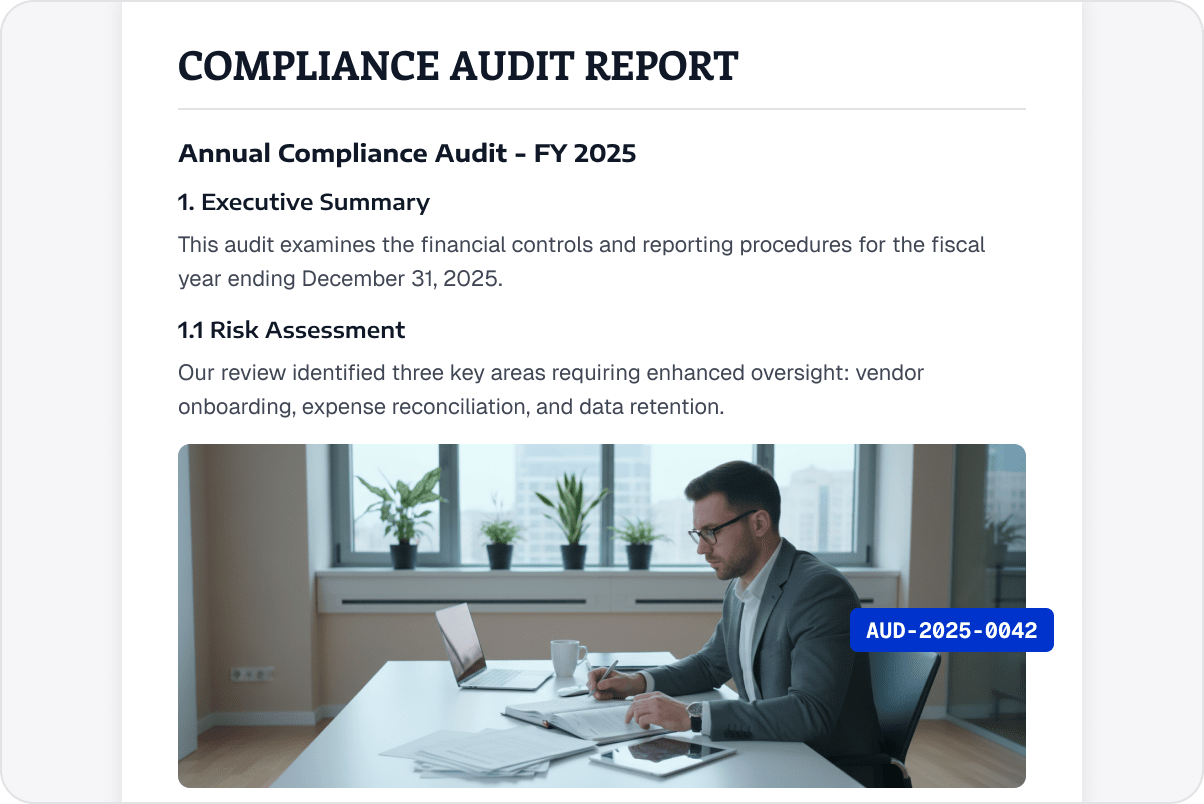
Add sequential Bates numbers to legal, financial, and administrative PDFs for easier reference, review, and tracking.
Format Bates Numbers for Business Documents
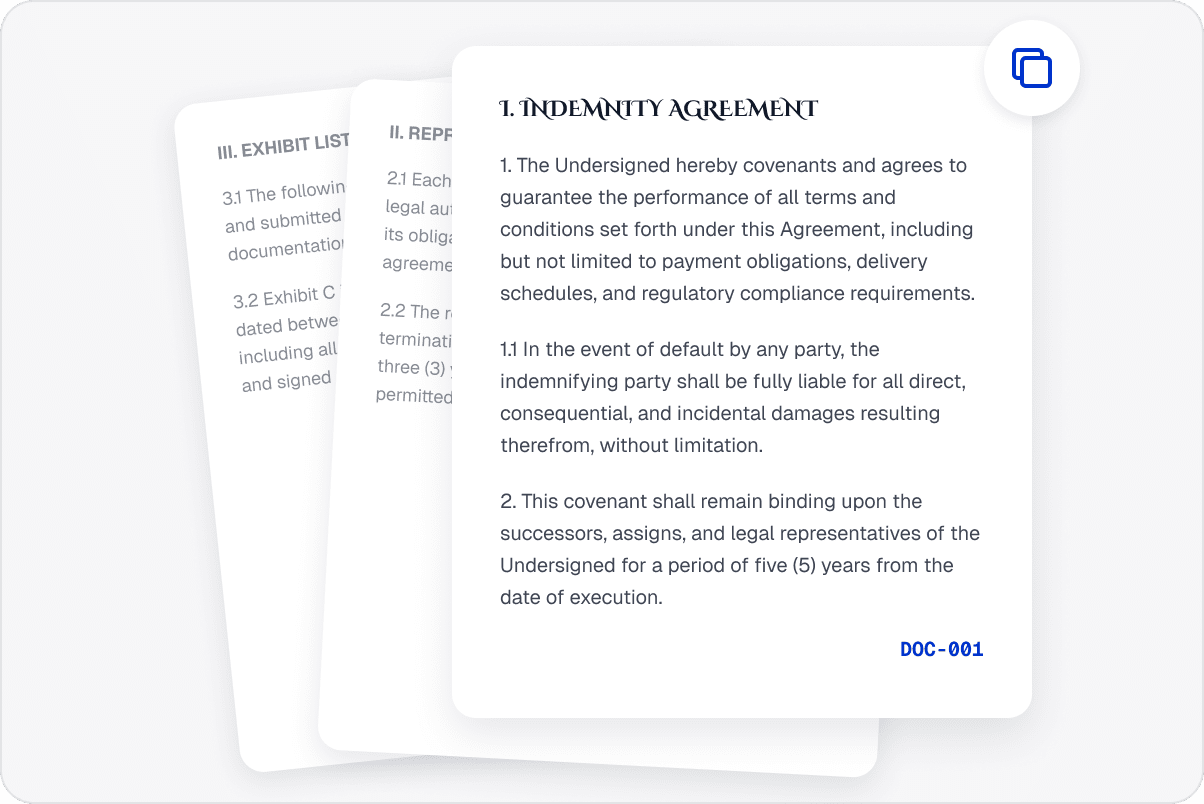
Configure numbering content and placement for a project, contract, or archive requirements, including combined document sets.
Keep Page Numbering Consistent
Generate numbers in page order to reduce duplicates, gaps, or inconsistent placement and help reviewers find specific pages.
Reference Documents More Easily
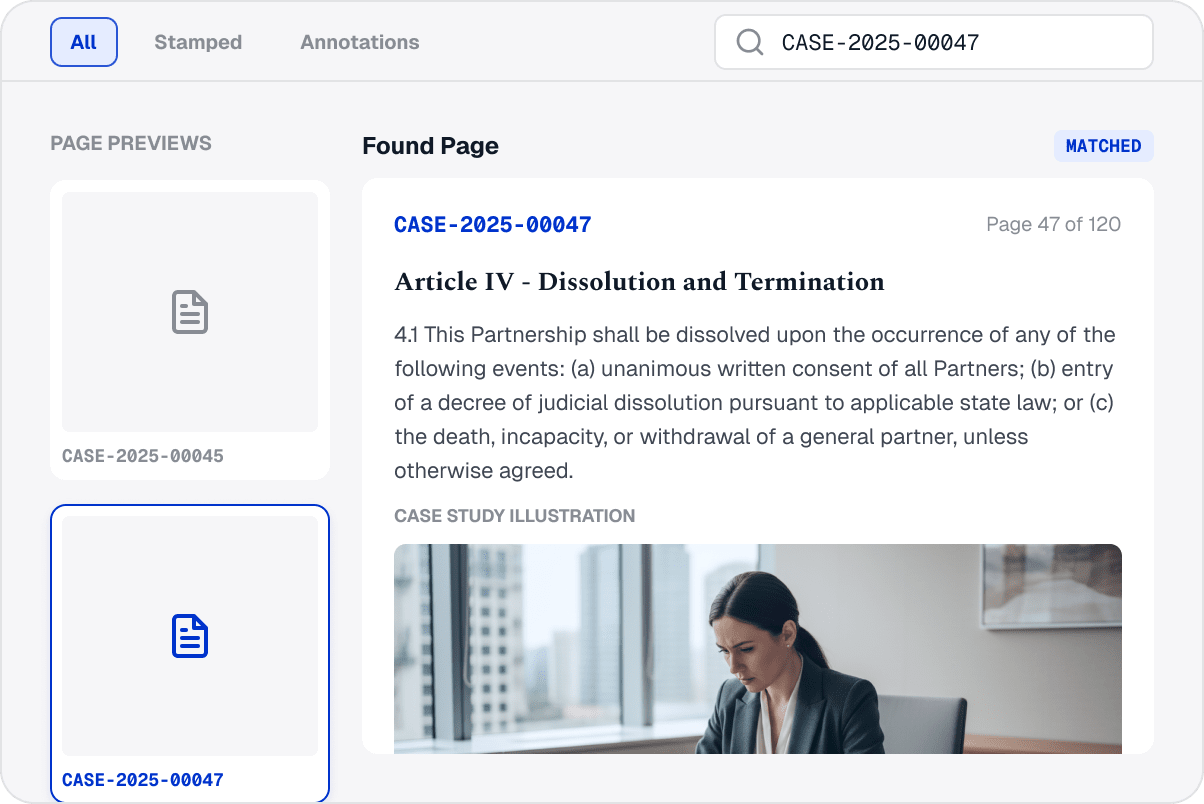
Use consistent page identifiers during review, approval discussions, delivery, and later retrieval instead of manually tracking pages.
Locate Document Content Quickly
Use professional Bates numbers as stable page references so teams can quickly locate content during review, delivery, and archiving.
Access LynxPDF Expert Library
Forward-looking insights and strategic guides for enterprise document management.
Explore All Whitepapers
Explore All Whitepapers
Explore Advanced Enterprise Features
Edit
Form & Sign
Secure
Annotate
OCR
Read
Explore Tutorials and Featured Articles
Getting Started Guide
Which File Formats Can I Convert Using LynxPDF?
How to activate LynxPDF through License Code?
LynxPDF vs Kofax Power PDF
Why LynxPDF is the Best Adobe Acrobat Alternative for Enterprise Use?
How about LynxPDF’s OCR, and What are Its Main Advantages?
Does LynxPDF Support Batch Processing?
Does LynxPDF Support Digital Signatures?
Does LynxPDF Support Web, Mobile, and Team Collaboration?
View All FAQs
Featured Industry Insights
ABBYY FineReader PDF Alternative: Enterprise PDF Management Comparison
Thu. 27 Aug. 2026
Sejda vs LynxPDF: Linux Flexibility or Managed PDF Operations?
Wed. 26 Aug. 2026
Smallpdf vs LynxPDF: When PDF Work Needs More Control
Wed. 26 Aug. 2026
View All Articles
Contact
Our Sales Team
Please complete the form below, and a dedicated account manager will contact you shortly:
Initiate your 14-day trial of LynxPDF and the LynxPDF Administrative Console.
Identify the optimal pricing structure for your organisation.
Review relevant use cases and industry case studies.
Access Volume Discounts of Up to 50%
Corporate Email
Full Name
Company Name
Country/Region
Search and select
Contact Number
Search and select
-
Outline Your Requirements
0 / 1000