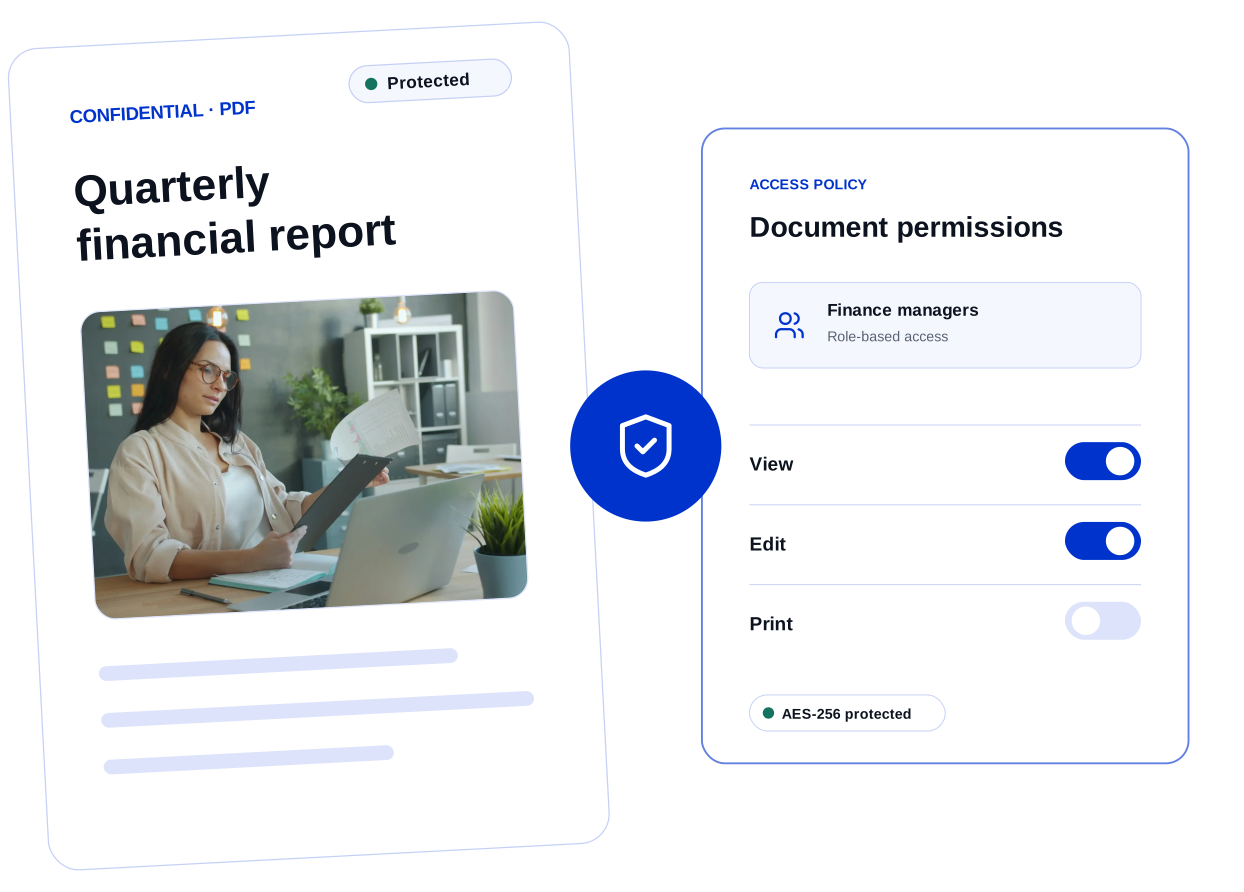
Enterprise PDF Permissions and Access Control
Clearly control viewing, editing, printing, and copying to reduce unauthorized access to sensitive PDFs.


Bring document permissions, enterprise identity, administration, and Windows rollout together. Reduce IT complexity while fitting your existing environment.
Control who can view, edit, print, and copy sensitive PDFs before they are shared.
Clearly control viewing, editing, printing, and copying to reduce unauthorized access to sensitive PDFs.
Use your existing identity and infrastructure to manage accounts, licenses, devices, and deployment in one place.
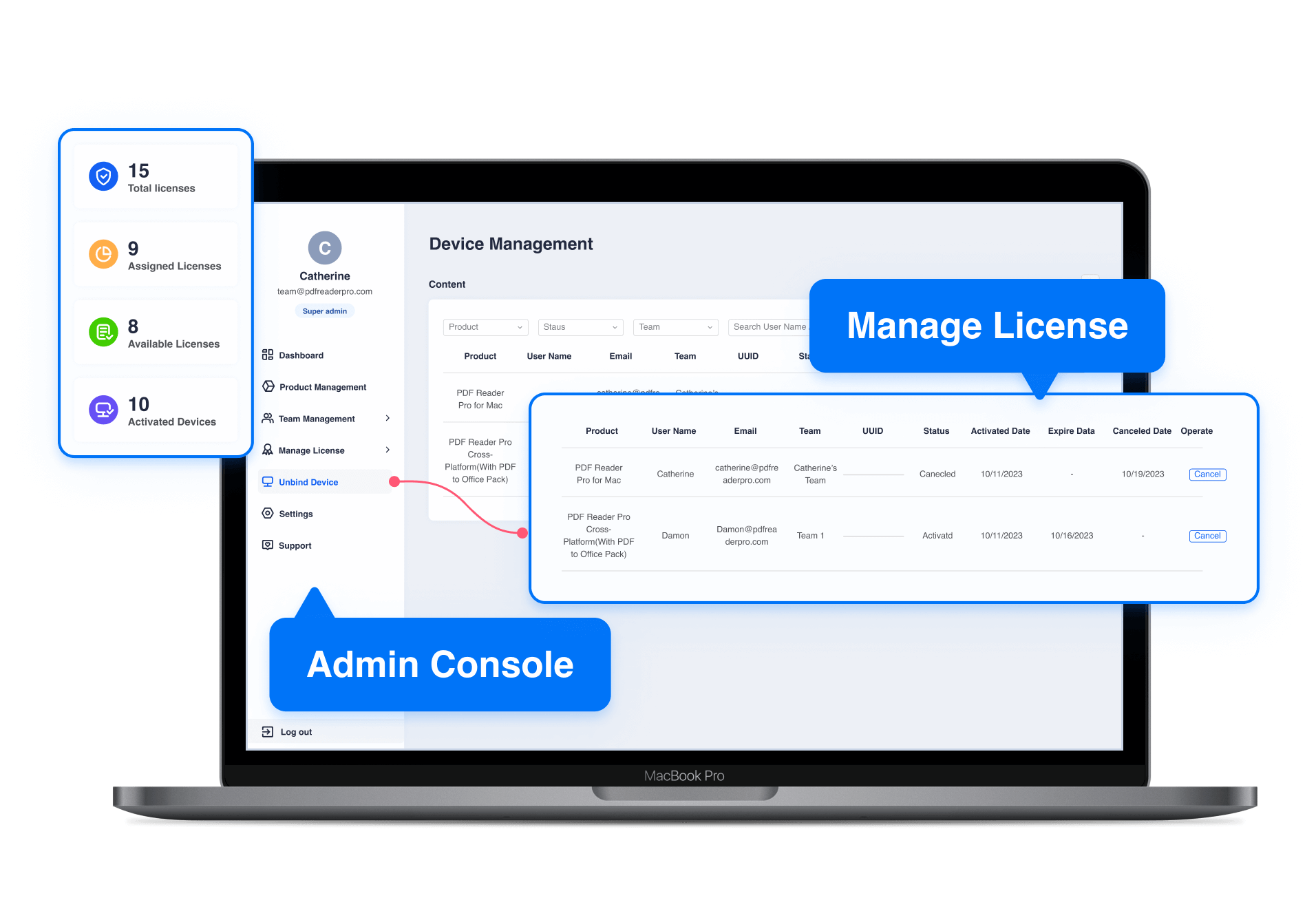
Centralized users, licenses, devices, and rollout settings make enterprise IT administration easier.
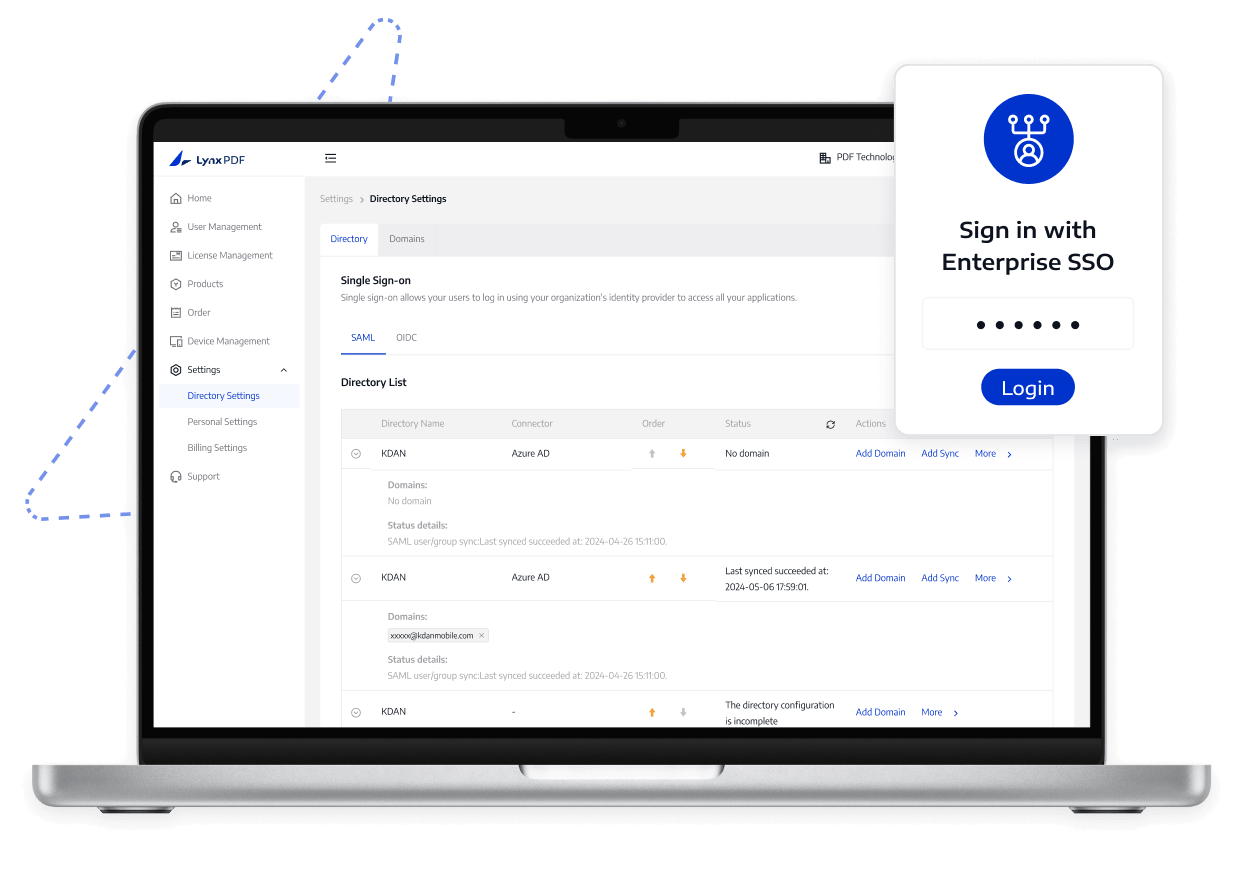
Employees use their enterprise accounts while IT centrally controls access.
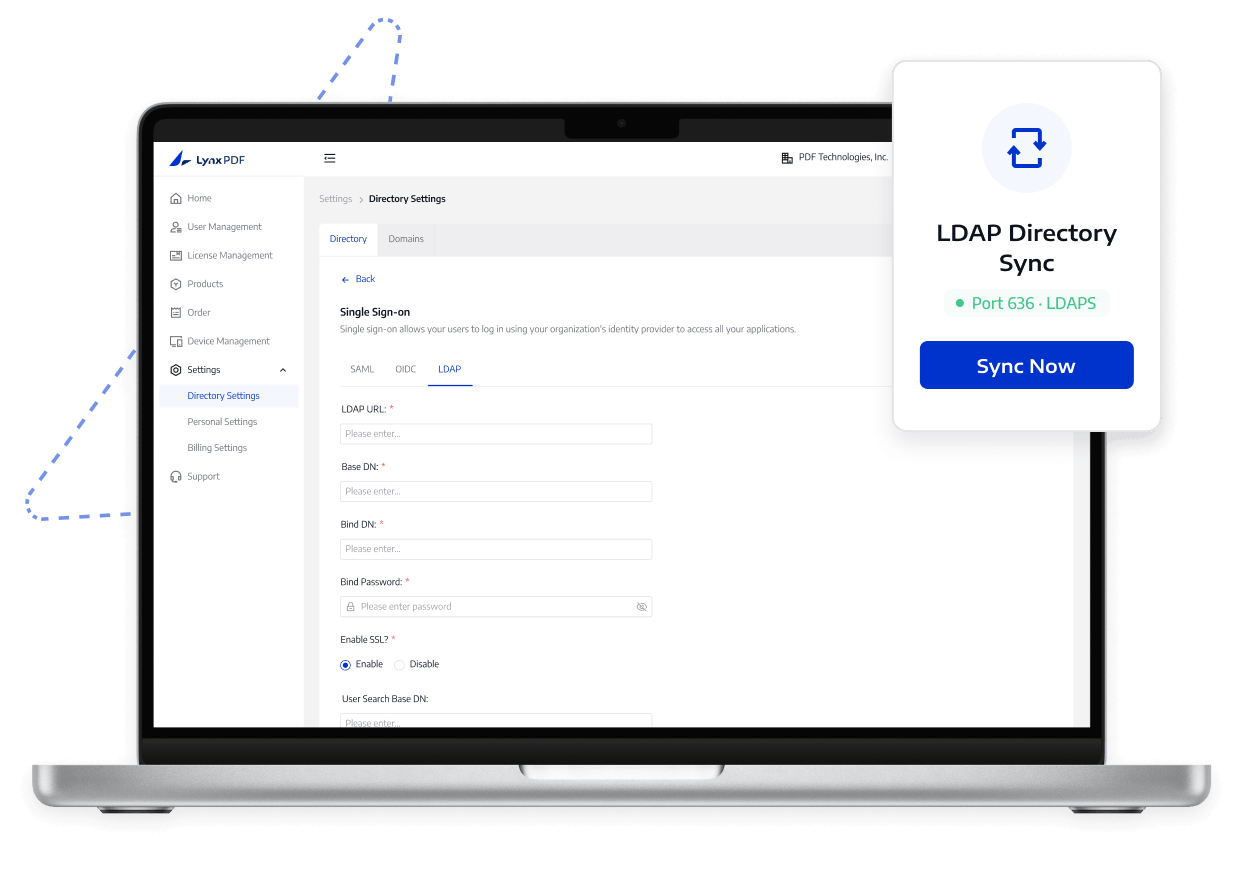
Accounts stay aligned with the Windows AD directory, reducing duplicate user maintenance.
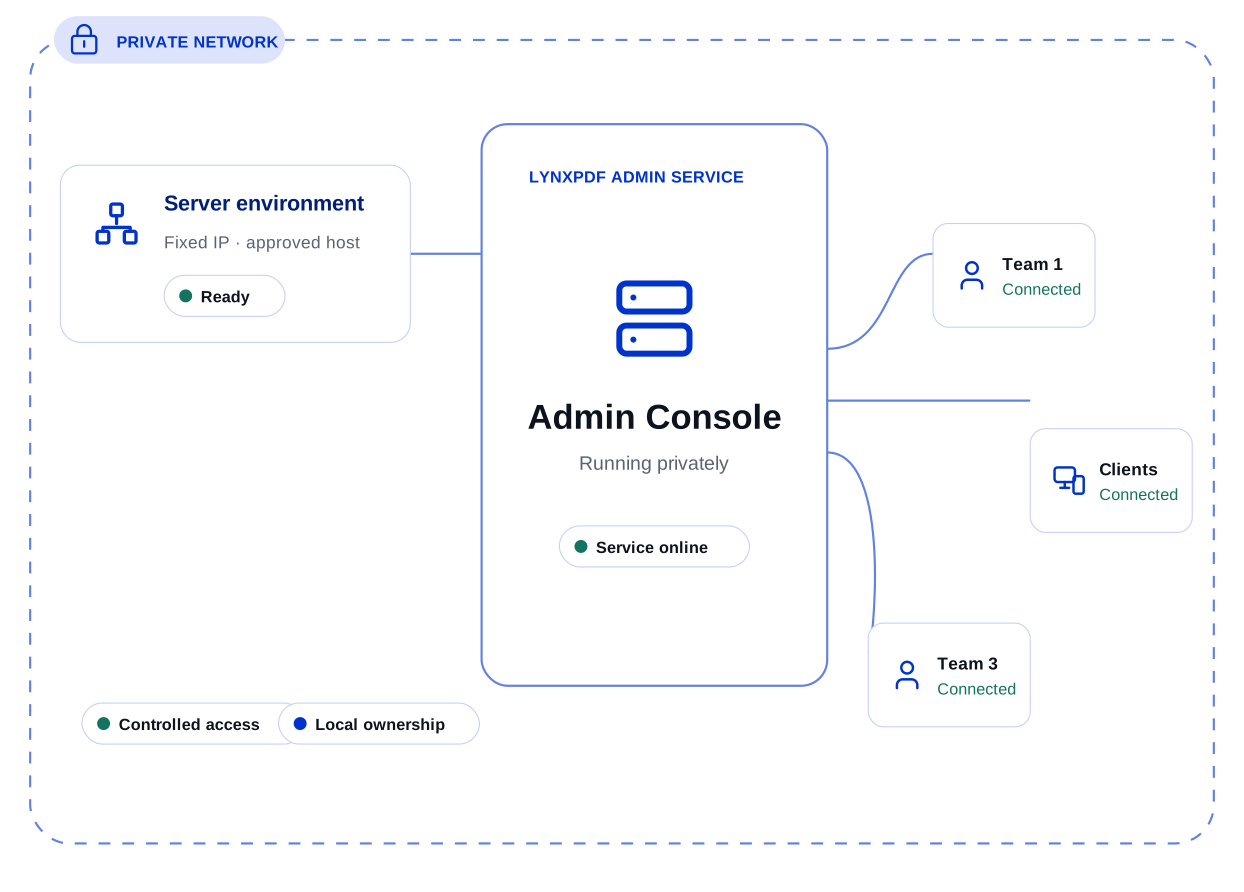
Run administration services in your own infrastructure, with the organization retaining control of data and operational boundaries.
Use existing Windows management tools to distribute LynxPDF at scale instead of installing it device by device.
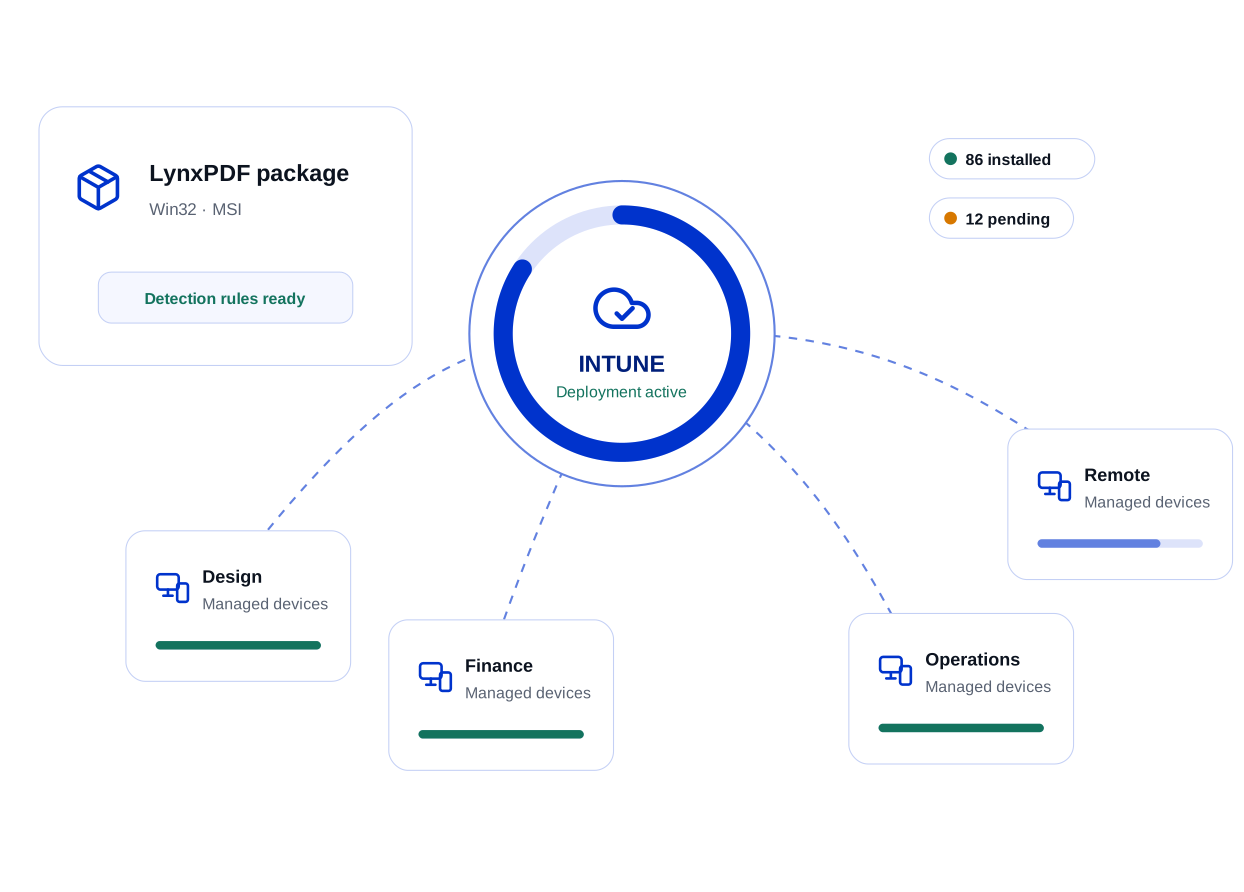
Distribute LynxPDF centrally with Intune and keep application coverage easier to track.
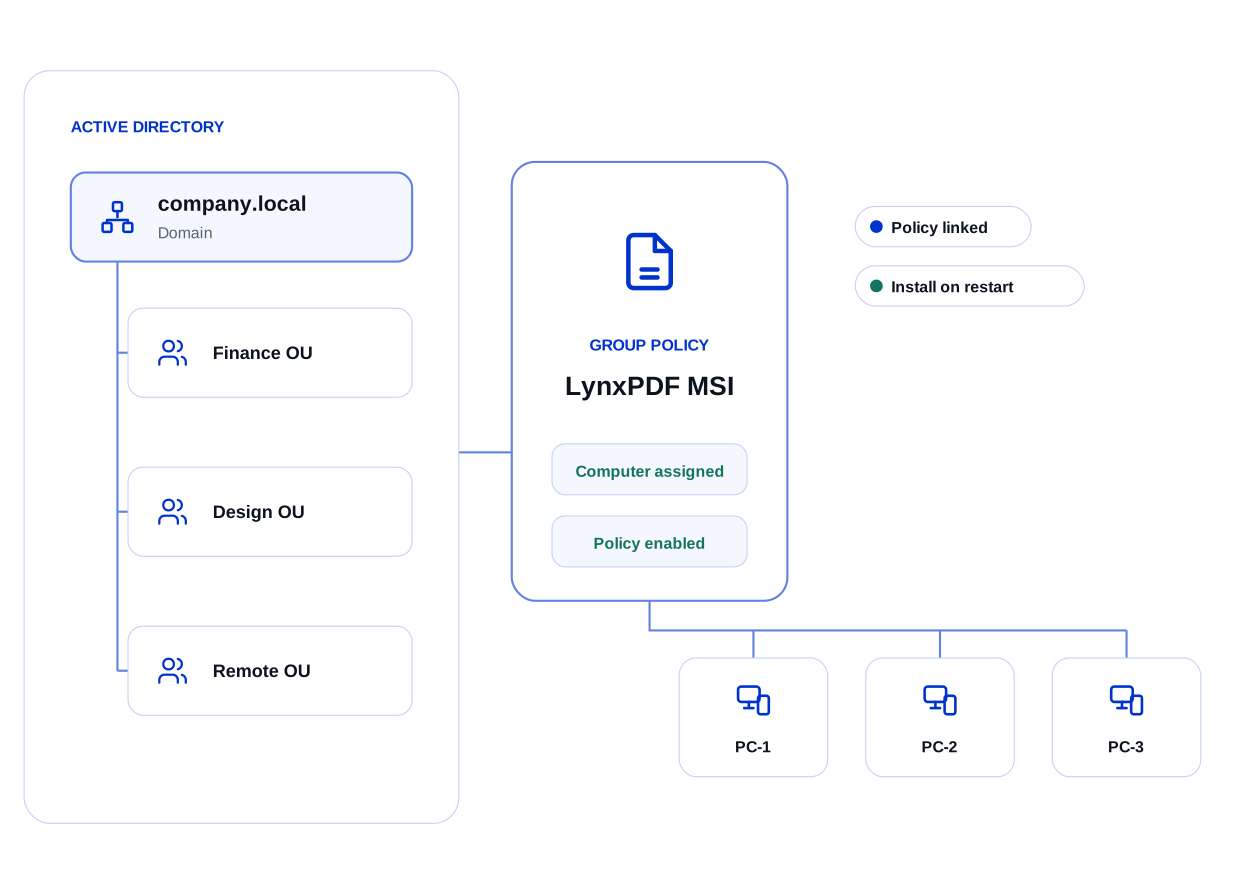
Domain-wide deployment removes the need to install LynxPDF on each computer individually.
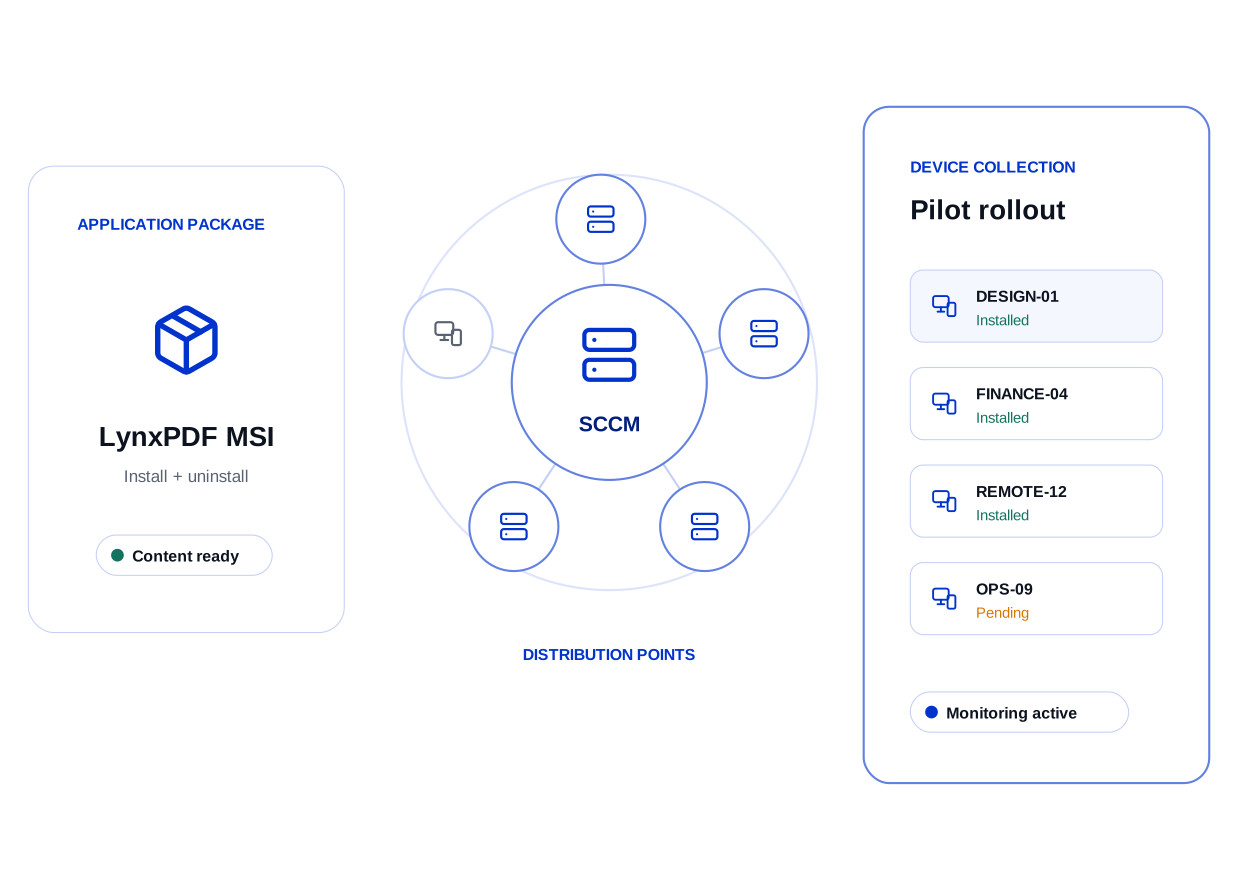
Use SCCM to distribute LynxPDF at scale and standardize deployment configurations across Windows devices.