'%3e%3cpath%20d='M407%201311.7c6.213%200%2011.25-5.04%2011.25-11.25%200-6.22-5.037-11.25-11.25-11.25s-11.25%205.03-11.25%2011.25c0%206.21%205.037%2011.25%2011.25%2011.25'/%3e%3cpath%20d='M407%201292.95v15m5-11.25c-1.25-3.75-10-2.5-10%201.25s10%201.25%2010%205-8.75%205-10%201.25'/%3e%3c/g%3e%3cdefs%3e%3cclipPath%20id='a'%3e%3cpath%20fill='%23fff'%20d='M392%201285.45h30v30h-30z'/%3e%3c/clipPath%3e%3c/defs%3e%3c/svg%3e)
Rising Subscription Costs
Reduce rising subscription spend and direct budget toward higher-value work.


Subscription costs continue to rise, license management is becoming more complex, deployment needs are changing, and privacy, security, and administration requirements continue to grow. LynxPDF helps teams retain a familiar experience while reducing migration and long-term operating costs.
Reduce rising subscription spend and direct budget toward higher-value work.
'%3e%3cpath%20stroke='%2303C'%20stroke-linecap='round'%20stroke-linejoin='round'%20stroke-width='2.25'%20d='M805%201289.2v22.5h21.25m-16.25-7.5v2.5m6.25-8.75v8.75m6.25-15v15'/%3e%3c/g%3e%3cdefs%3e%3cclipPath%20id='a'%3e%3cpath%20fill='%23fff'%20d='M800%201285.45h30v30h-30z'/%3e%3c/clipPath%3e%3c/defs%3e%3c/svg%3e)
Reassess long-term total cost of ownership based on user adoption, usage frequency, and deployment needs.
'%3e%3cpath%20stroke='%2303C'%20stroke-linecap='round'%20stroke-linejoin='round'%20stroke-width='2.25'%20d='m1216.75%201300.45%203.75%203.75%208.75-8.75m-6.25-6.25-11.25%205v6.25c0%206.25%206.25%2010%2011.25%2012.5%205-2.5%2011.25-6.25%2011.25-12.5v-6.25z'/%3e%3c/g%3e%3cdefs%3e%3cclipPath%20id='a'%3e%3cpath%20fill='%23fff'%20d='M1208%201285.45h30v30h-30z'/%3e%3c/clipPath%3e%3c/defs%3e%3c/svg%3e)
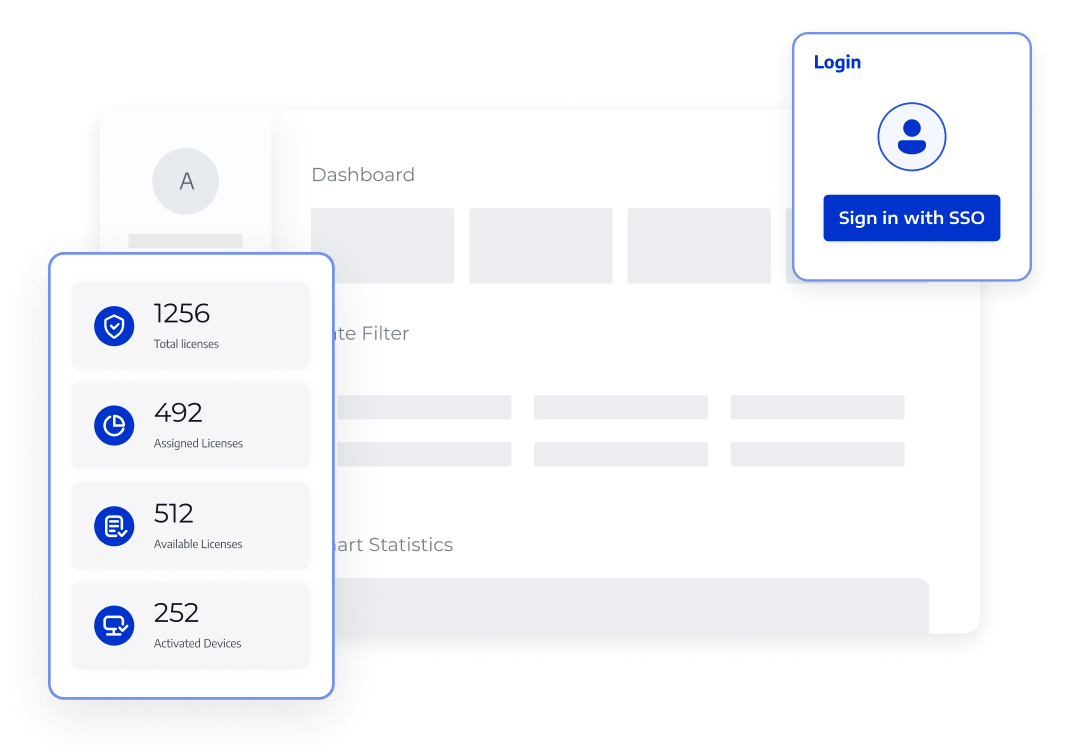
Meet data-control requirements with offline use, enterprise deployment, and license management.
From a familiar interface to enterprise deployment, LynxPDF helps teams migrate step by step while maintaining day-to-day productivity.
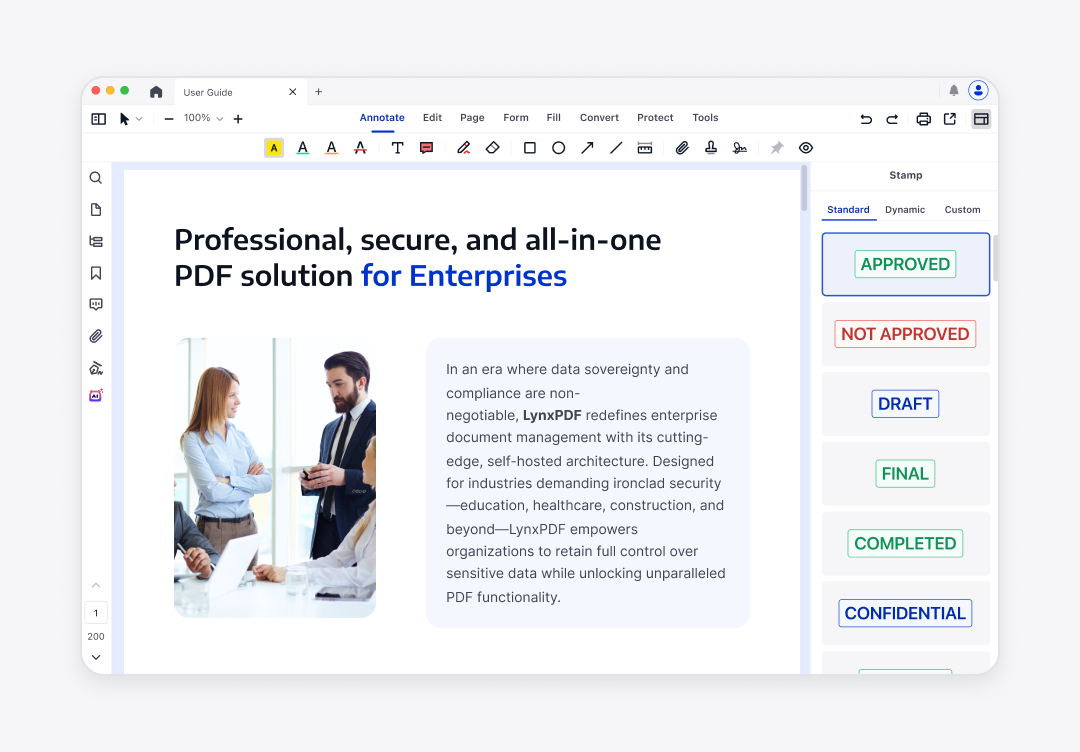
Extend the PDF workflows your team already knows, reducing relearning and migration friction.
Compare the products across enterprise deployment, collaboration, PDF editing, document conversion, security, forms, eSign workflows, and license management.
| LynxPDF | ||
|---|---|---|
| Feature | Adobe Acrobat for Teams | |
| Self-hosted deployment | ||
| Single sign-on (SSO) integration | * Not available for teams with fewer than 250 users | |
| Manage licenses with Admin Console | ||
| Various install packages (msi, exe, pkg, dmg, etc.) | ||
| Optional deployment method (Intune, GPO, RDS, SCCM, etc.) | ||
| LynxPDF | Adobe Acrobat for Teams |
|---|---|
| Self-hosted deployment | |
| Single sign-on (SSO) integration | |
| * Not available for teams with fewer than 250 users | |
| Manage licenses with Admin Console | |
| Various install packages (msi, exe, pkg, dmg, etc.) | |
| Optional deployment method (Intune, GPO, RDS, SCCM, etc.) | |
Move from current-state assessment and trial validation to deployment and ongoing support, one critical workflow at a time.
Inventory the current Acrobat version, number of users, document types, and critical workflows.
Use real documents to validate editing, OCR, forms, signing, and batch processing.
Choose a local, offline, or enterprise environment and plan account and license configuration.
Configure licensing based on organizational size and deployment method, then assign user access.
Use guidance and workflow demonstrations to help teams become familiar with LynxPDF quickly.
Continue receiving migration guidance, deployment support, and version services to keep workflows stable.
Show how LynxPDF supports different organization sizes, industries, and document workflows.

Help small teams deploy quickly and manage licenses while reducing tool switching and administrative work.

Build clearer PDF workflows around controlled documents, privacy protection, and deployment management.

Help faculty and administrative teams manage teaching materials, forms, and administrative files with less tool fragmentation.
Tell us your team size, current Adobe Acrobat usage, common document types, required capabilities, deployment environment, number of users, and expected migration timeline. The LynxPDF team will use these details to provide a migration recommendation tailored to your needs.