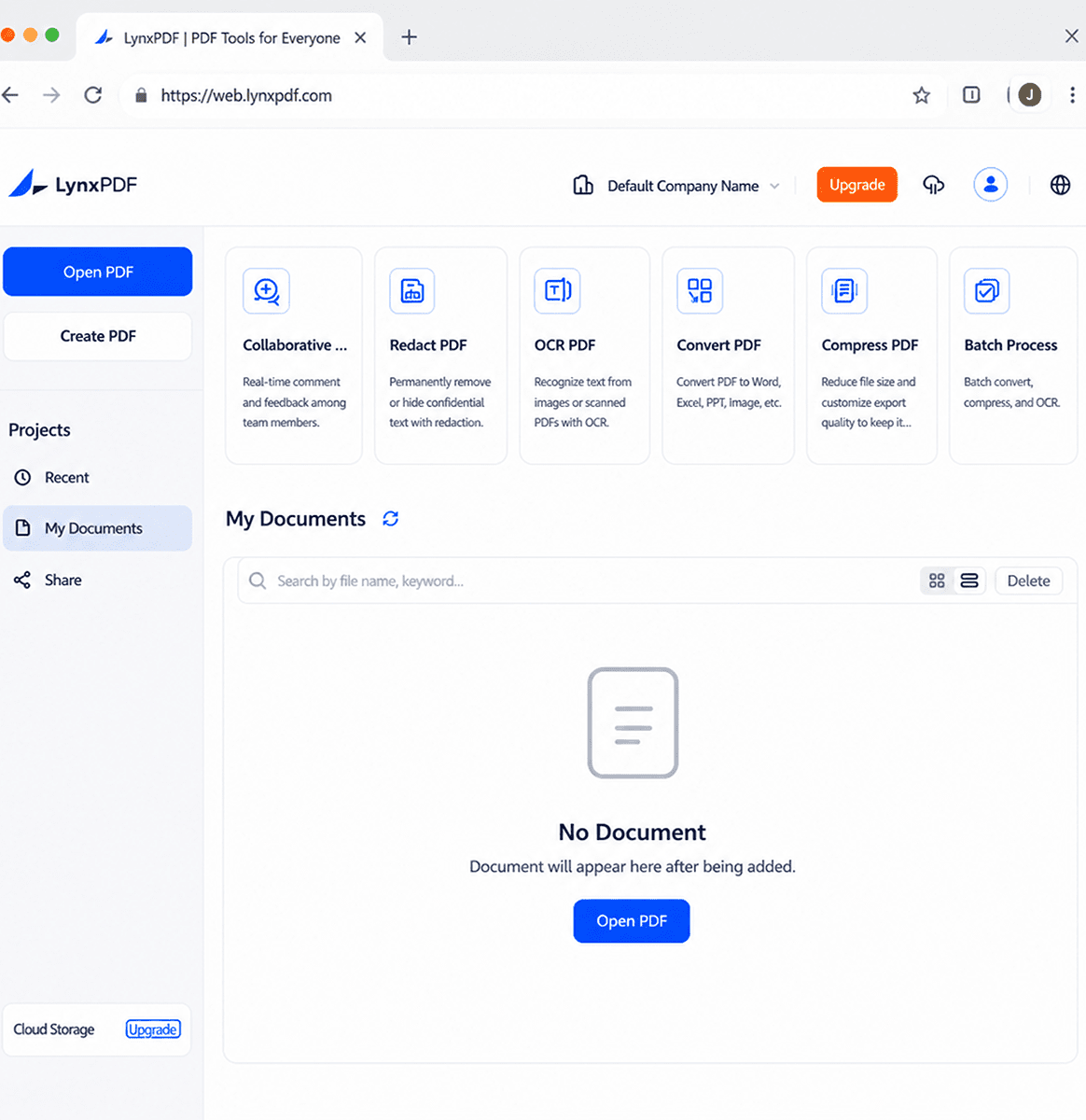
Complete PDF Workflows, Available Online
LynxPDF for Web extends PDF access, collaboration, management, and security into a browser workspace built for connected teams.
Access PDFs Anytime, Anywhere
Work across devices with browser access, unified accounts, synchronized entitlements, and streamlined sign-in options.
- Cross-device browser access
- Unified account and synchronized entitlements
- Apple, Microsoft, and Google sign-in
Collaborate on Documents Online
Edit PDF documents directly in the browser with controlled editing, comprehensive annotation tools, and efficient comment management.
- Online editing with exclusive lock for text, images, and links
- Annotations including highlights, comments, drawings, shapes, stamps, signatures, and measurements
- Centralized comment panel for viewing, replying to, editing, and deleting comments
Centralized Document Management
Manage documents with centralized storage, organized file access, and flexible sharing permissions.
- Upload local files and access Recent, My Documents, and Shared with Me lists
- Manage files with rename, delete, download, and copy operations
- Share documents with view, comment, or edit permissions and configurable link expiration
Complete PDF Workflows Online
Edit, manage, and process PDFs online with essential tools in one workspace.
- Text, image, link, and page editing
- OCR, conversion, compression, and document comparison
- Search, thumbnails, and outline navigation
Seamless Updates, Simplified Management
Deliver a consistent browser-based experience with automatic updates and reduced IT management effort.
- Automatic version updates
- Reduced IT maintenance effort
- Consistent feature availability
Enterprise-Grade Security and Compliance
Protect business documents with encryption, permissions, redaction, and digital signatures.
- Encryption, decryption, and access control
- Redaction and digital signatures
- Certificate details and validation