

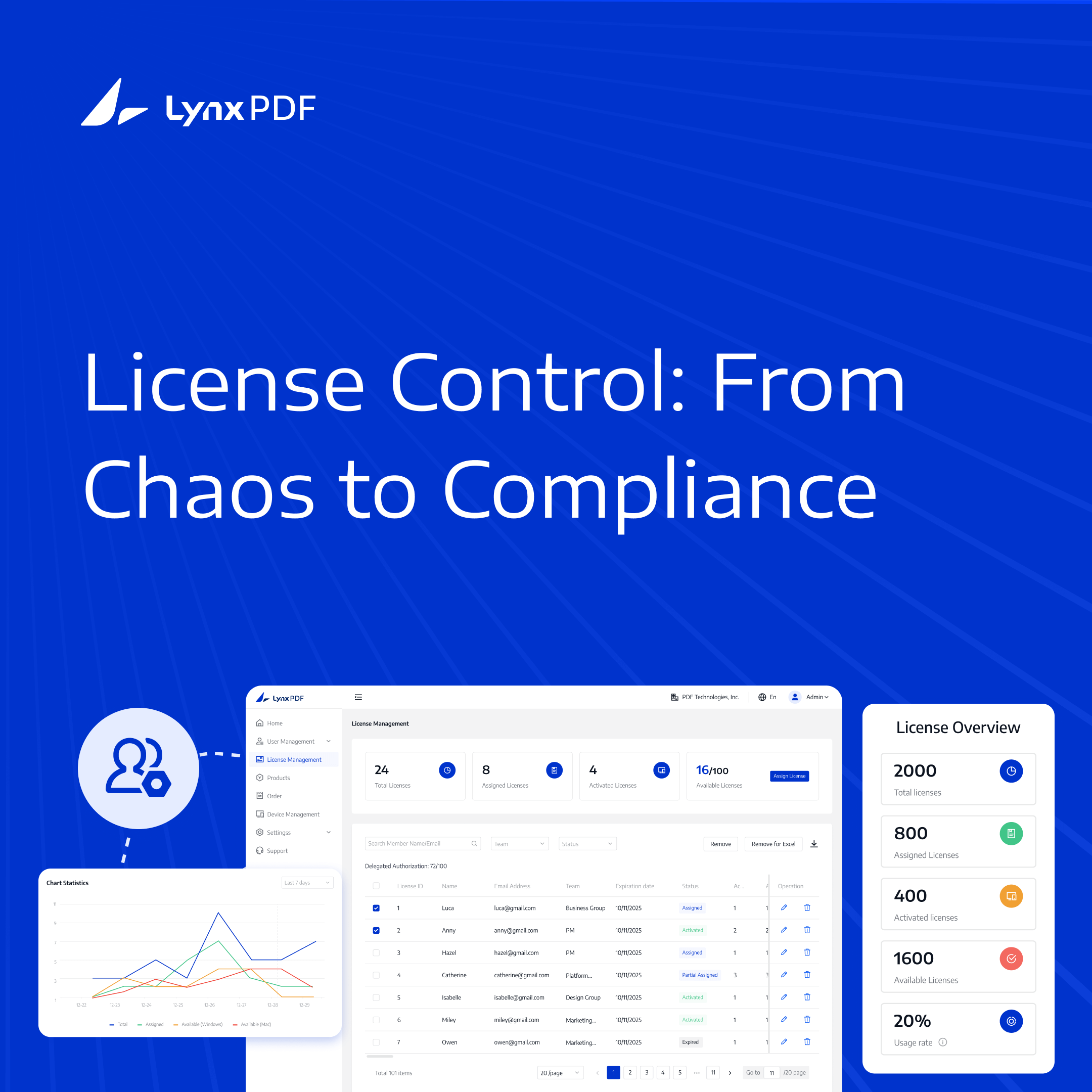
Managing software licenses is crucial for businesses to maintain control over software access, optimize costs, and ensure data security. LynxPDF provides a comprehensive solution to streamline license management, making it easier for administrators to assign, monitor, and manage licenses efficiently.
In this post, we’ll explore how LynxPDF can help you manage licenses effectively, scale with your team’s growth, and improve overall operations.



Why License Management Matters
License management is essential for businesses to ensure that software access is controlled, costs are optimized, and data remains secure. By managing licenses effectively, organizations can allocate resources where they are needed, avoid overspending, and ensure that only authorized users have access to critical tools like LynxPDF. This not only improves operational efficiency but also strengthens security by limiting access to sensitive information.
Effective license management also supports scalability as businesses grow or evolve. By tracking usage, admins can easily adjust the number of licenses to match team size, avoiding unnecessary costs. LynxPDF provides the flexibility to manage licenses seamlessly as your organization changes.
Key Benefits of License Management:
- Optimized Resource Allocation: Make sure that licenses are distributed where they’re needed most, avoiding unnecessary purchases.
- Improved Compliance: Easily track and manage licenses to ensure they meet industry standards and avoid legal risks.
- Better Security: Restrict software access to authorized users, protecting sensitive company data.
- Cost Control: Prevent overspending on unused licenses and reallocate resources when necessary.
- Scalability: Adjust licenses based on team size, making it easier to scale up or down as the organization evolves.
By focusing on these areas, businesses can ensure that they are making the most of their software investments while maintaining security and efficiency across their teams. License management isn’t just about allocating software—it's about optimizing operations, saving costs, and protecting company data.

Setting Up License Management in LynxPDF
Setting up effective license management in LynxPDF is straightforward, allowing you to assign, monitor, and manage licenses efficiently.
Step 1: Admin Portal Access
To begin, log into the Admin Portal of LynxPDF. This is the control center where you can view all your licenses and make adjustments as necessary. The portal provides an overview of your active, available, and assigned licenses.

Step 2: Assigning Licenses to Users
Assigning licenses is simple in LynxPDF. Admins can allocate licenses based on roles or needs, ensuring the right people have access to the necessary tools. You can also add or remove users as the team changes.

Step 3: Managing Team Members and Licenses
Admins can manage team members, appoint team administrators, and assign LynxPDF licenses according to team needs.

Step 4: Activating and Deactivating Licenses
As your team grows or shrinks, you can easily activate or deactivate licenses. LynxPDF allows admins to manage license activation with a few clicks, ensuring only active team members have access to the software.

By following these steps, setting up license management in LynxPDF becomes an efficient process that ensures your team has the right access at the right time, and that your organization remains agile in its resource allocation. Properly managed licenses help businesses avoid unnecessary costs, improve operational efficiency, and maintain security by ensuring only authorized users can access sensitive information.
Discover the best strategies for selecting the right license management system for your business.
Monitoring License Usage in LynxPDF
Monitoring license usage is critical to ensure efficient software management, prevent overuse, and optimize costs. LynxPDF provides comprehensive tools for admins to track active licenses, identify inactive ones, and make adjustments as needed.
Track License Utilization
In the Team Management section, admins can easily view team members, the number of active licenses, and the remaining available licenses. This allows you to see how licenses are allocated across the organization and adjust as needed for maximum efficiency.

Managing Unused Licenses
It’s essential to identify licenses that are no longer in use. Review current license assignments and device activity status in Admin Console, refreshing the page to update the information. Unneeded licenses can be revoked or reassigned to match team needs.

Avoiding License Overuse
With LynxPDF, admins can review assigned and available licenses and receive an email when the license allocation limit is reached. Reviewing assignments helps admins plan license purchases and reduce unnecessary costs.

By using these tools, LynxPDF ensures that admins can monitor and control license usage effectively, keeping software costs in check and supporting administrative review across the organization.
Streamline License Management with LynxPDF
LynxPDF provides an effective solution for admins to manage and allocate software licenses with ease. The platform’s intuitive interface simplifies the process of assigning, monitoring, and adjusting licenses as needed, ensuring that all team members have the necessary access while keeping costs in check. License assignment records and bulk management features enhance control and help avoid unnecessary overheads.

Whether you're dealing with a growing team or managing multiple users, LynxPDF makes it easy to optimize your license usage and ensure compliance.

 Admin Console
 Custom Business Stamps
 System Integration
 Digital Signatures
With these tools at your disposal, maintaining an organized and efficient license management system becomes seamless and stress-free. LynxPDF offers all the features admins need to keep their organization running smoothly and cost-effectively.
Best Practices for Efficient License Management
Effective license management is key to maintaining cost control, security, and smooth operations in any organization. By following best practices, admins can ensure that resources are allocated efficiently, users have the appropriate access, and compliance is maintained. Here are some best practices to help streamline your license management process:
1. Centralize License Management
Having a dedicated admin or team to oversee all software licenses ensures that the process remains organized and transparent. Centralized management helps prevent duplicate licenses, unauthorized access, or unutilized licenses going unnoticed.
2. Regularly Audit License Usage
Regular audits of license usage can help identify unused or underutilized licenses. By tracking which licenses are actively being used, admins can reallocate or deactivate licenses as needed, optimizing costs and resources. Regular audits also help avoid surprises when renewal periods come around.
3. Automate License Allocation
LynxPDF allows for automated workflows, such as bulk assigning or removing licenses, which saves time and ensures that no users are left without access to critical software. By automating routine tasks like license allocation, admins can focus on more strategic activities.
4. Assign Licenses According to Team Needs
Assign licenses based on user roles and needs to prevent over-allocation. Assigning licenses according to team needs reduces the chance of unused licenses. LynxPDF allows you to assign licenses to team members as the organization grows.
5. Monitor Expired and Inactive Licenses
Monitoring for expired or inactive licenses ensures that no resources are wasted. If a license is no longer being used, deactivating or reallocating it can prevent unnecessary costs. Admins should regularly review assignments and device activity status to keep their license pool efficient.
6. Review License-Expiry Reminders
To avoid disruptions, review the automatic license-expiry reminders from LynxPDF. Check expiration dates and status in Admin Console to plan renewals ahead of time and maintain access to essential tools.
7. Scale Licenses According to Team Growth
As your organization grows, so do your software needs. Use tools like LynxPDF’s license tracking features to scale up or down based on team size, ensuring that licenses match the current demand without overspending or under-allocating.
Discover the leading 10 enterprise license management software solutions designed for efficiency and scalability.
Efficient license management is key to optimizing software usage, maintaining security, and controlling costs within any organization. LynxPDF offers a range of powerful tools that give admins full control over license distribution, monitoring, and adjustments.
With its easy-to-use interface and robust features, LynxPDF helps streamline operations, ensuring that teams have the access they need while keeping license management organized and efficient.


