

🔔 [2026 Editor's Update]: The PDF software landscape has evolved rapidly. We have published a brand-new, comprehensive comparison for 2026! Please read our updated guide: 👉 Read the LynxPDF vs Lumin PDF: 2026 Enterprise Comparison Here ➔.
In keeping with the latest software trends, our team compares the best features and pricing of Lumin PDF vs LynxPDF.
Check out our other comparative blogs to see how other tools fare against LynxPDF.


Lumin PDF vs LynxPDF: A Quick Comparison
Before we examine each application in more detail, have a look at some of the key features of each software to see how they compare:
Lumin PDF
Lumin PDF is a solid choice for teams working on shared documents, but it lacks some of the advanced features found in more robust PDF editors.
Best Features:
- Free e-signature tool
- Easy-to-use interface
- PDF text editing
Pricing:
Lumin PDF has a free pricing option available with very basic features for short-term, casual users, plus three more paid plans:
|
Starter (Students/Individuals) |
Professional (Professional/Small Teams) |
Business (Cross-Company) |
| $9 / month per team | $19 / month per team | $199 / month per team |
What We Love About It:
Lumin PDF integrates well with Google Drive, making document storage and sharing simple.
While it offers basic editing and annotation features, its strength lies in cloud-based collaboration and ease of use.
LynxPDF
LynxPDF is ideal for businesses seeking robust PDF solutions, offering advanced features tailored for professional use and powerful admin tools for seamless license management.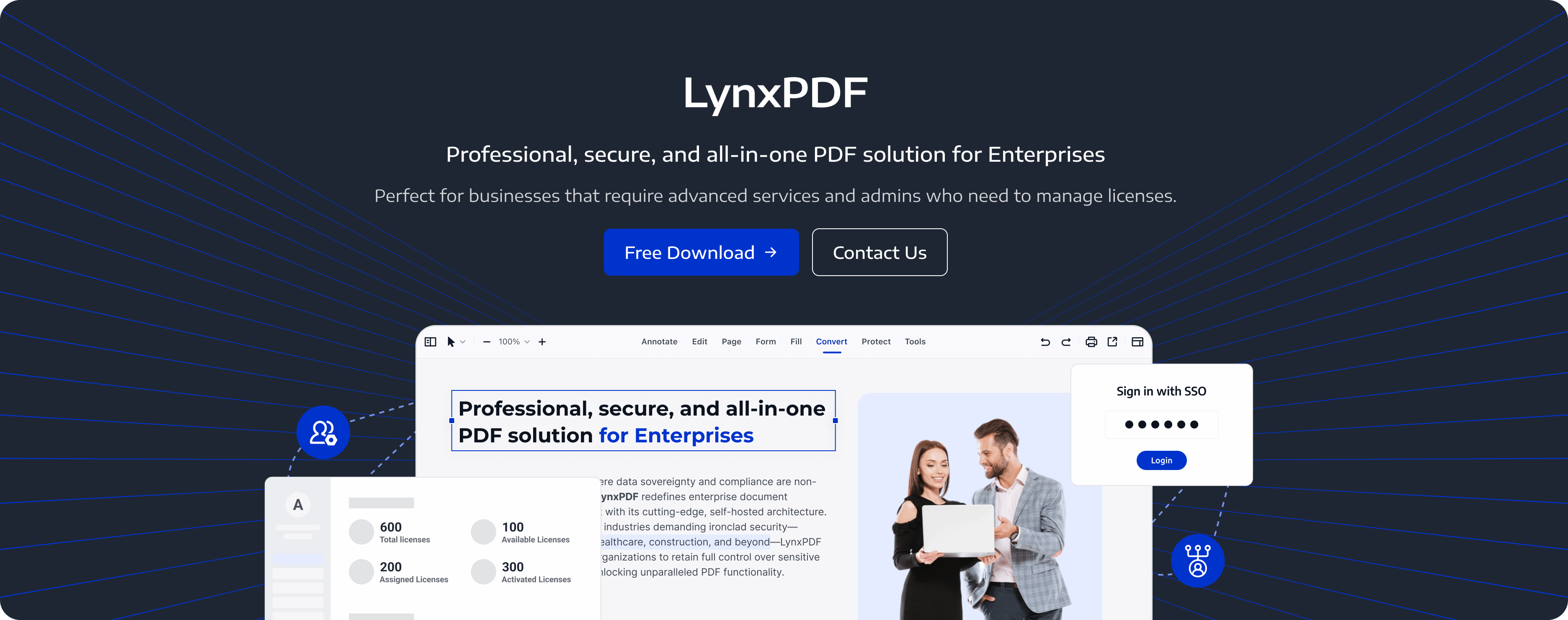
Best Features:
- Professional stamps for business use
- Editing, conversion, and encryption tools for PDFs
- Secure digital signature creation and document sharing
- 14 days of free Admin Console, SSO, and on-premise deployment
Pricing:
LynxPDF has a free 14-day trial available for Windows and Mac operating systems:
However, for those looking for a reliable application to include in their workflow, a once-off purchase plan is available:
| Once-Off Enterprise |
| $629.90 |
What We Love About It:
We love LynxPDF for its powerful features for business users. The once-off purchase includes access to the following features:
- Volume Discount
- Flexible Licenses Management
- Easy Deployment
- Support On-Premise Deployment
- Free Updates
- Advanced Editing Features
- Integration with Single Sign-on (SSO)
- Data Security and Compliance
Lumin PDF vs. LynxPDF: Which Should You Choose?
Our Choice: LynxPDF
When it comes to managing and editing PDF files, there are many options available, but not all are created equal. Among the most popular tools are Lumin PDF and LynxPDF.
While Lumin PDF has its merits for small teams to collaborate on projects, LynxPDF stands out as the superior choice for anyone looking for a comprehensive, user-friendly, and feature-packed PDF solution for enterprise.
We love that it allows you to manage users and licenses, all from one place. It also prioritizes data protection through customizable access rights and encryption, meeting one of the key needs for a corporate enterprise with multiple teams.
Check our blog weekly to see what other software comparisons and tutorials we have for you.


