

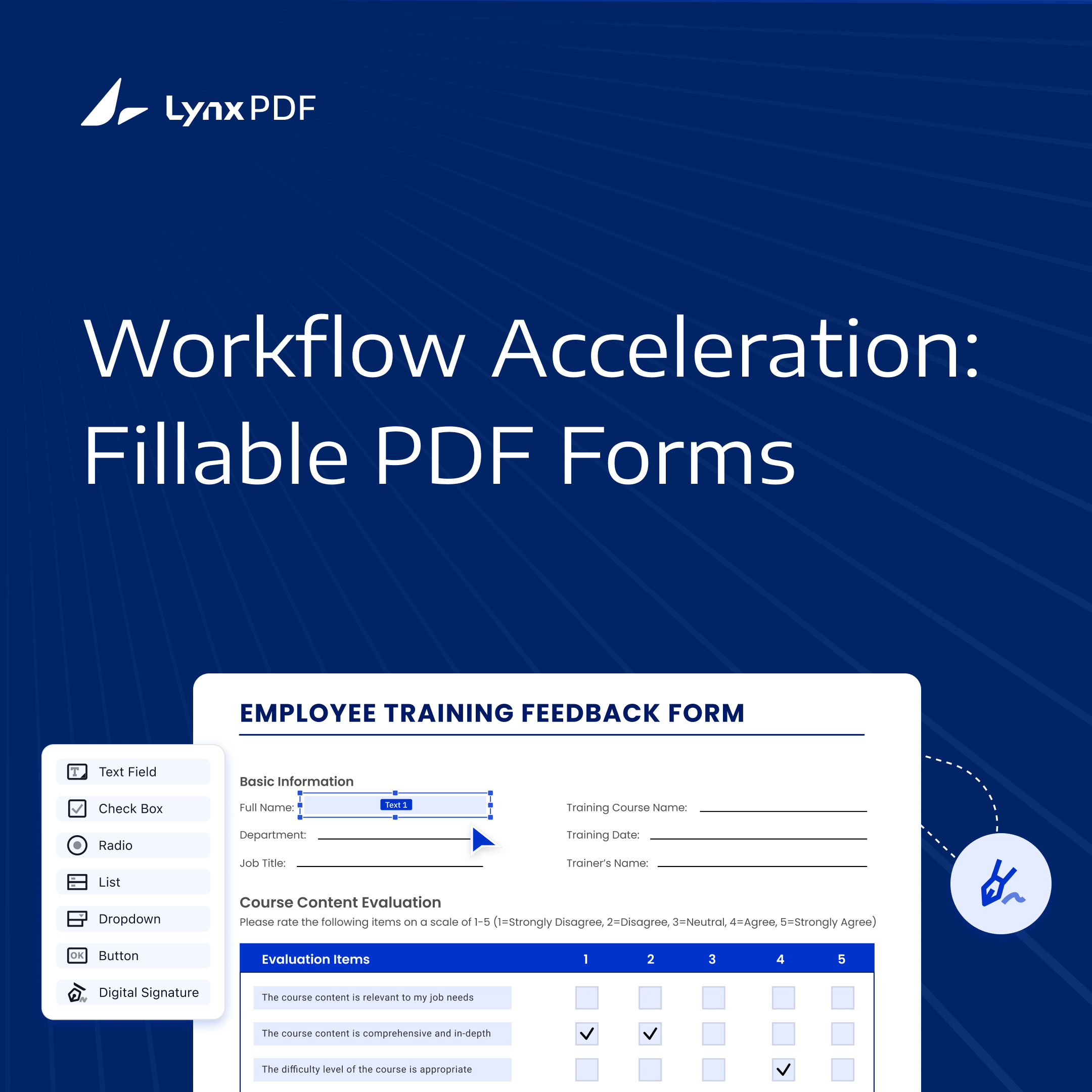
In every organization, forms sit at the center of daily operations. They collect information, initiate approvals, document decisions, and create an auditable trail that teams rely on to run smoothly.
Across departments, PDF forms appear everywhere:
- HR: onboarding packets, leave requests, performance reviews
- Finance: expense reports, budget approvals, vendor payment forms
- Legal: contract templates, NDA acknowledgment forms
- Operations: equipment requests, maintenance reports, inspection logs
These workflows share the same characteristics: highly standardized, cross-departmental, security-sensitive, and dependent on consistent formatting.

Image Source: Pixabay
However, many teams still rely on paper forms, static PDFs, or unstructured documents, which leads to slow approvals, incorrect submissions, and inconsistent data. Modern businesses need a form system that is accurate, secure, repeatable, and workflow-ready.
This is where fillable PDF forms become essential: they turn static documents into structured, interactive workflows that integrate seamlessly into existing business processes.
Understanding Fillable PDF Forms: Definition, Value, and Business Impact
1. What Is a Fillable PDF Form?
A fillable PDF form is a PDF document enhanced with interactive fields that allow users to type, select, or sign directly inside the file.
These fields include:
- Text Fields – for names, IDs, comments
- Check Boxes & Radio Buttons – for options and confirmations
- Combo Boxes & Lists – for controlled selections
- Digital Signatures – for authenticated approvals
Unlike a traditional static PDF, a fillable form functions as a structured data-entry interface. It ensures every submission follows a consistent format, making information easier to review, approve, track, and archive across the organization.
2. Why Fillable Forms Matter for Business Operations
Fillable PDF forms offer three core advantages that directly impact productivity and operational quality:

Image Source: Splitshire
✔ Efficiency Through Reusability
Once created, forms can be saved as templates and reused across teams—speeding up preparation of contracts, onboarding documents, expense forms, and more. Departments can share standardized templates, eliminating repetitive design work and ensuring everyone uses the latest version.
✔ Accuracy Through Structured Input
With predefined field types and consistent layouts, teams avoid mistakes caused by inconsistent formatting or free-form text. This improves the quality of submissions, shortens review cycles, and reduces back-and-forth corrections.
✔ Security and Compliance by Design
All form creation and filling in LynxPDF happens locally, without routing documents through cloud servers. Forms can be encrypted, protected, and controlled according to internal policies. For HR, Finance, and Legal teams dealing with highly sensitive data, this controlled environment is essential.
A fillable form is more than a digital document—it’s a workflow trigger. It standardizes how organizations collect information, initiate approvals, and maintain records, enabling smoother operations across every department.
From Creation to Workflow: How PDF Forms Enhance Enterprise Productivity
PDF forms help enterprises standardize data collection, reduce manual errors, and move information through internal workflows more efficiently. With the right tooling, forms evolve from static documents into structured, reusable, and secure workflow assets.
1. Interactive and Flexible Form Creation
Effective enterprise forms start with the right field types. LynxPDF supports text fields, checkboxes, radio buttons, dropdowns, buttons, and digital signature fields, allowing teams to define precise input rules and maintain consistent structures across all documents.

Layout adjustments—resizing fields, aligning components, and applying formatting—are handled directly in the editor, so teams can convert existing documents into clean, fully interactive forms without relying on external tools.
Templates can be saved and reused, enabling organizations to build a centralized repository of standardized forms such as contracts, onboarding packages, procurement sheets, and internal approvals.
Example — Procurement Teams:
Quotation forms can include dropdowns for supplier categories and checkboxes for compliance confirmations, ensuring every submission arrives in a unified format that’s easy to review.
2. Automated Actions That Move Work Forward
Beyond data entry, PDF forms in LynxPDF can embed workflow logic that reduces administrative steps and processes information automatically.
When adding a button field, teams can configure actions such as:
- Submit Form — Send the completed form directly to a designated email inbox
- Open Web Link — Guide users to policy pages, supporting documents, or portals
- Print Form — Trigger printing after verification or approval
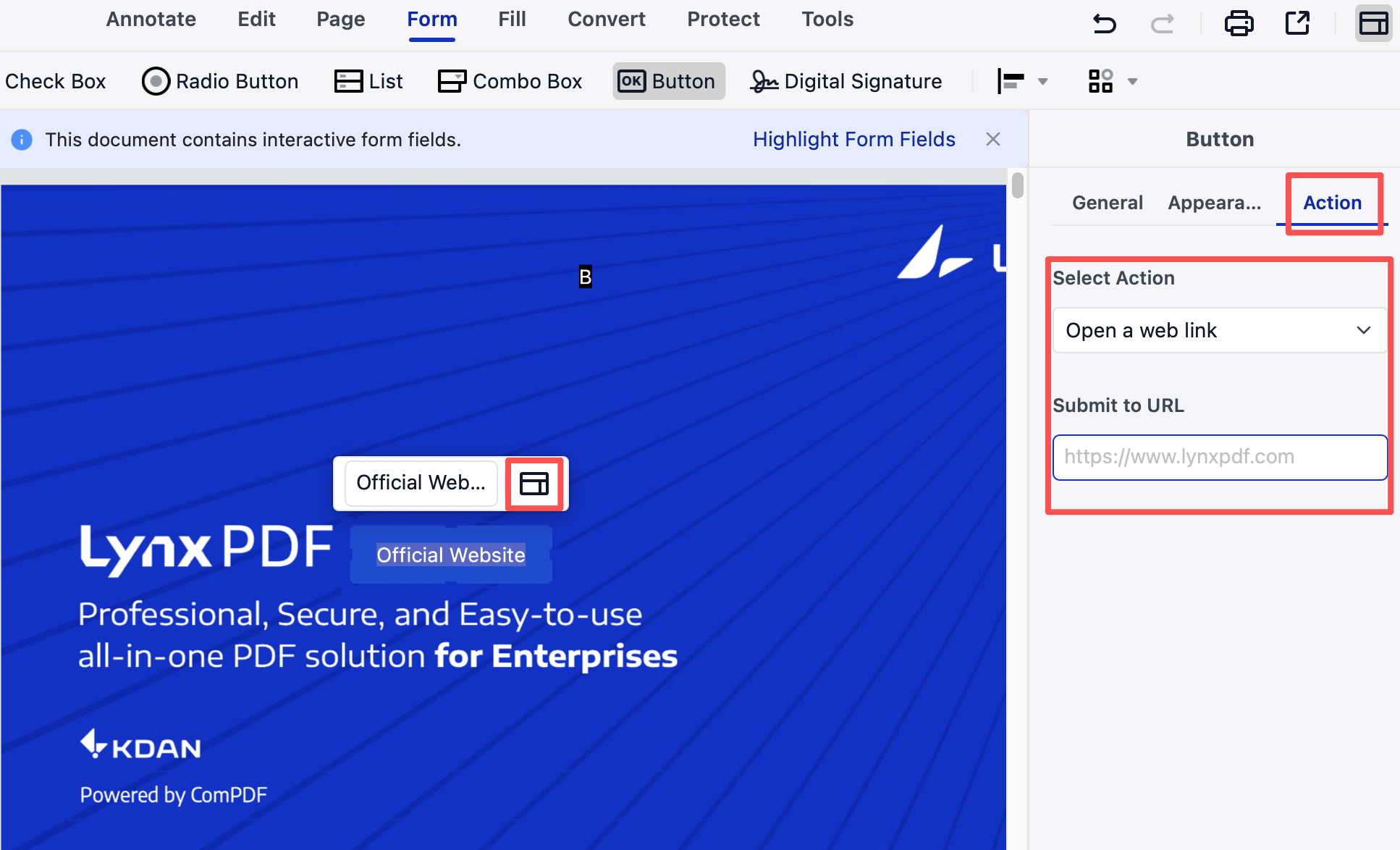
These actions turn the form itself into a workflow engine. A reimbursement form can be submitted to Finance with a single click; an onboarding form can guide employees to additional resources; a compliance form can require printing for archival after digital approval.
Combined with structured fields, these actions reduce back-and-forth communication, eliminate routing mistakes, and keep processes aligned with internal SOPs.
3. Safe and Controlled Form Workflows
Security and control are essential when forms contain contractual, financial, legal, or personal information. LynxPDF’s local-first design keeps the entire lifecycle—creation, completion, encryption, and export—within the enterprise environment, avoiding any dependency on cloud services.
Granular permissions can lock editing, restrict copying or printing, or protect the form from modification once submitted. Digital signature fields allow approvers to sign using existing certificates and enable recipients to verify both identity and document integrity.
Example — Finance Teams:
Budget and reimbursement forms can require manager signatures, become read-only after approval, and remain entirely offline—protecting sensitive employee and vendor data.
PDF Forms vs. Web Forms: The Control and Security Businesses Cannot Overlook
While web-based forms are popular for lightweight data collection, they often fall short when workflows involve sensitive content, strict formatting, or regulatory oversight. For many enterprise processes, PDF forms remain the more reliable and controllable option.
1. True Cross-System Stability
Web forms depend on browsers, network performance, access policies, and even front-end rendering differences. A minor network interruption or browser restriction can cause slow loading, broken layouts, or unresponsive fields.
PDF forms, however, preserve layout, field structure, and interaction behavior across any OS and device—online or offline. This consistency is essential for workflows where formatting cannot be broken, such as contracts, approvals, compliance documents, or standardized application forms.
2. Better Alignment With Internal Security & Compliance
Most web form solutions rely on cloud storage and third-party servers. For HR, Finance, or Legal workflows, this often means losing visibility—or control—over where data resides and how long it is retained.
PDF forms support fully local workflows: creation, editing, encryption, signing, and exporting are all performed within the enterprise environment. With password protection, permission settings, and offline handling, organizations can maintain compliance with data retention, privacy laws, and internal audit requirements without relying on external infrastructure.
3. Stronger Document Integrity and Traceability
Web form submissions frequently need to be exported to PDF or other formats for archiving. During this step, layouts may shift, signatures may lose meaning, and interactive elements may not carry over—creating inconsistencies in the official record.
With PDF forms, the document is the final record. Field data, permissions, timestamps, and digital signature validity remain intact and verifiable long-term. Nothing is lost in translation.
4. Lower Operational Cost, Higher Fit for Document-Driven Processes
Standalone form-building platforms excel in surveys or marketing data collection—but fall short in enterprise scenarios like contract approval, vendor onboarding, internal requests, or equipment applications.

Image Source: Pixabay
PDF forms align more naturally with existing document-driven workflows. Teams work inside the formats they already use, without additional platform training, integration work, or process redesign. This reduces operational overhead while enhancing user adoption.
FAQ: Common Questions About Creating and Managing PDF Forms
1. Which types of businesses benefit most from PDF forms?
Any organization that relies on standardized, document-driven workflows can gain value from fillable PDF forms. This includes HR teams managing onboarding packets, Finance departments handling reimbursements and approvals, Legal teams processing contracts or compliance documents, Operations teams collecting reports, and any enterprise that requires consistent formatting, auditability, and secure data handling.
2. Is my data safe when creating forms with LynxPDF?
Yes. LynxPDF processes all form creation, editing, and saving locally on your device. No content is uploaded or transmitted to external servers. Combined with encryption, permission controls, and offline workflows, sensitive information—such as employee data, financial records, or contract details—remains fully within your corporate environment.
3. Can I reuse a PDF form template for multiple documents?
Absolutely. Any form you create can be saved as a reusable template. This allows teams to maintain standardized versions of onboarding forms, contract layouts, expense forms, procurement sheets, or approval documents—ensuring consistency while reducing repetitive setup work.
4. Does LynxPDF support automatic field detection?
Yes. LynxPDF can automatically detect fields in many existing documents, helping you convert static PDFs into interactive forms much faster. You can then refine, add, or remove fields as needed to match your workflow requirements.
5. Are PDF forms supported on both Windows and macOS?
Yes. LynxPDF provides full form creation and form-filling capabilities on both Windows and macOS. Form fields, permissions, validations, and digital signatures behave consistently across platforms, ensuring smooth collaboration for mixed-OS teams.
Conclusion — Build Smarter Forms, Accelerate Every Workflow
Fillable PDF forms are more than data-entry containers—they are the connective tissue of business workflows. When every department operates on standardized, secure, and automation-ready documents, organizations reduce errors, shorten approval cycles, and strengthen compliance without disrupting existing processes.
LynxPDF helps teams achieve this by providing precise form-building tools, controlled workflows, and local-first security that fits naturally into enterprise environments. From HR onboarding to financial approvals and contract reviews, forms built with LynxPDF ensure the information flowing through your organization remains accurate, consistent, and protected.
Start building smarter, more reliable business forms today with LynxPDF — and let your workflows move with clarity and control.


