

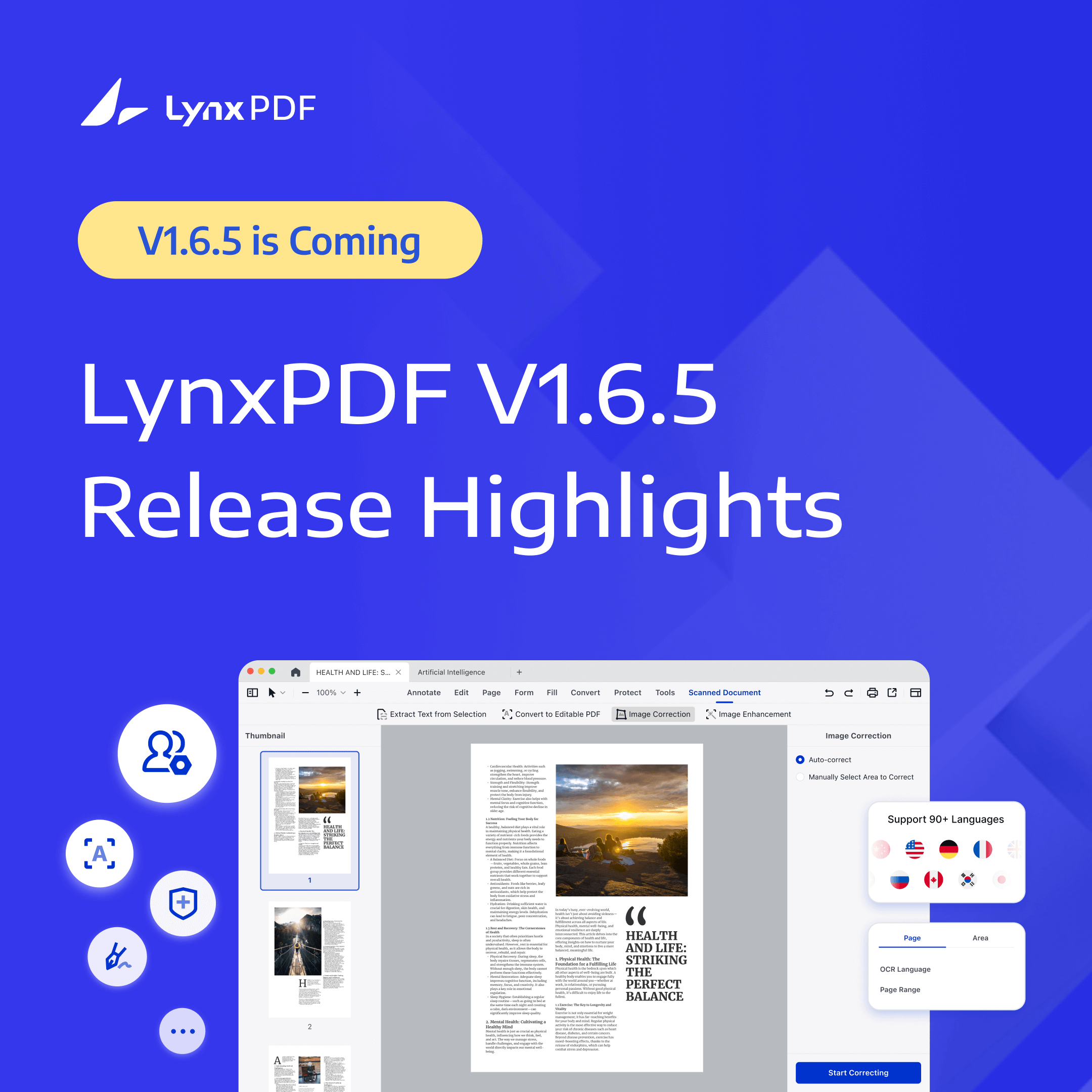
The latest version of LynxPDF focuses on one clear goal — making enterprise teams' daily PDF workflows faster, clearer, and more reliable, whether you're working individually or managing an entire organization.
With V1.6.5, we focused on improvements you can feel immediately:
-
OCR reacts faster and understands documents more intelligently
-
Security logic is clearer and more transparent
-
Editing flows become lighter and less interruptive
-
Enterprise Admin Console gains cleaner visual insights and easier control
Together, these updates aim to make recognition more accurate, editing more seamless, and management more intuitive.
Product Experience Upgrades — Smarter OCR, Stronger Security, and Smoother Workflows
This release focuses on practical improvements that change how you work with documents every day: OCR that anticipates and assists, security that explains itself, and everyday editing refinements that reduce friction. The goal is simple — make common PDF tasks faster, clearer, and less error-prone.
1. Smarter and More Capable OCR — Our Most Significant Upgrade
OCR in LynxPDF V1.6.5 is built to streamline high-volume document handling, improving processing throughput and delivering more accurate data extraction so scanned files integrate seamlessly into enterprise workflows.
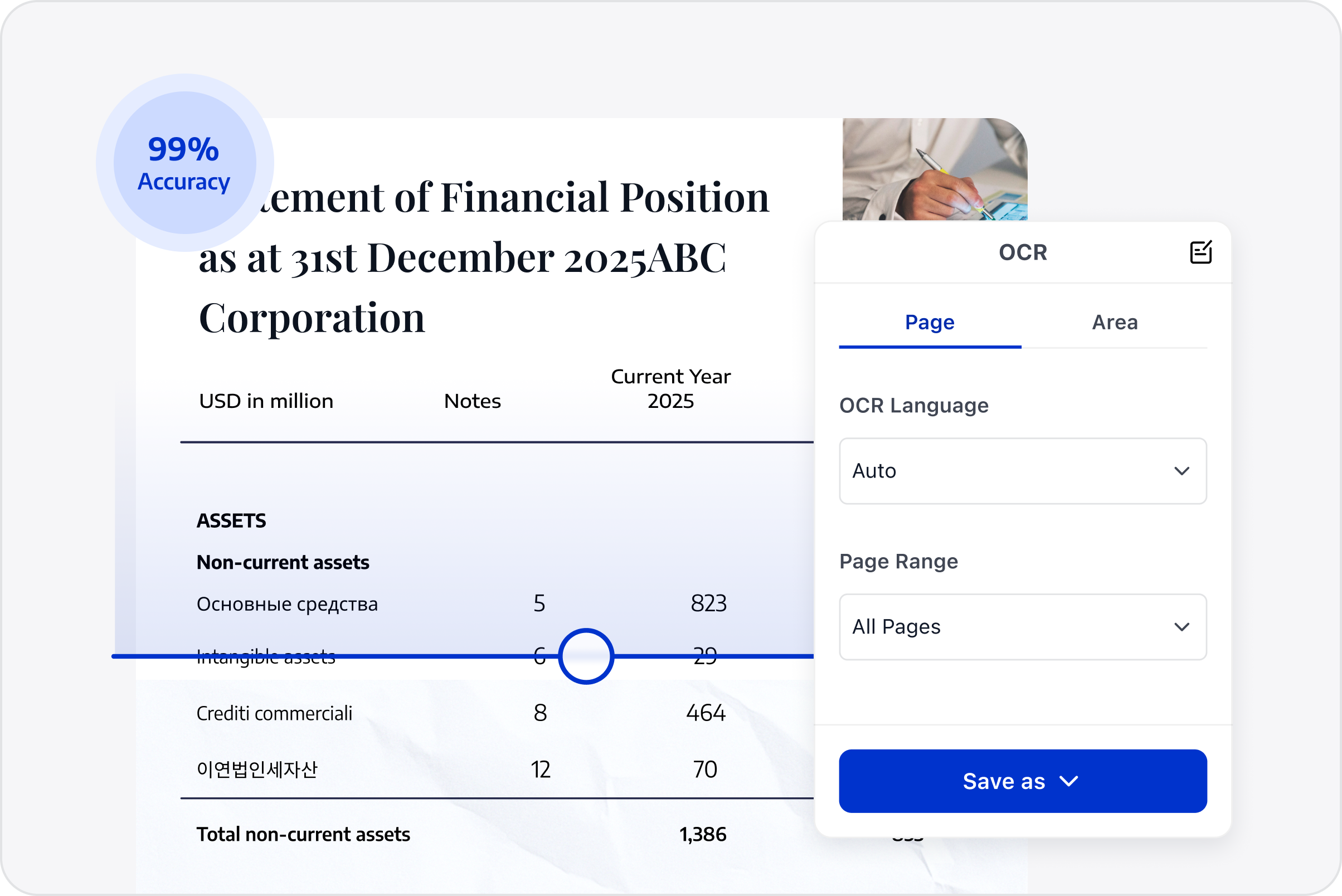
1.1 Automatic Scan Detection — Precision Without Waste
In previous workflows, teams often had to run OCR on the entire document, whether or not every page actually needed it. This meant longer processing times, higher compute consumption, and unnecessary delays, especially for large files.
LynxPDF V1.6.5 changes that behavior completely. The system now identifies scanned or image-based pages the moment a document is opened and processes only those pages, automatically switching into the scanning toolkit when needed.
Practical benefit: If you open a 50-page document with only 10 scanned pages, LynxPDF applies OCR only where needed, significantly reducing processing time and resource consumption compared to unnecessary full-document recognition.
1.2 Region-Based Text Extraction
Highlight any area on the page → select the target language → extract text instantly.
Use cases: Supports precise selection down to individual columns or text blocks, ensuring minimal cleanup after extraction. You can extract a single table from a receipt, copy a paragraph from a contract, or pull localized content from multi-language documents.
1.3 Convert Scans into Fully Editable PDFs
Transform scanned pages into real, editable PDFs with multilingual OCR support. You can choose to process the entire document or specific page ranges.
Example workflow: If you have a 100-page scanned document but only need pages 20–35 for editing, you can run OCR only on those pages, saving time compared with processing the full document.
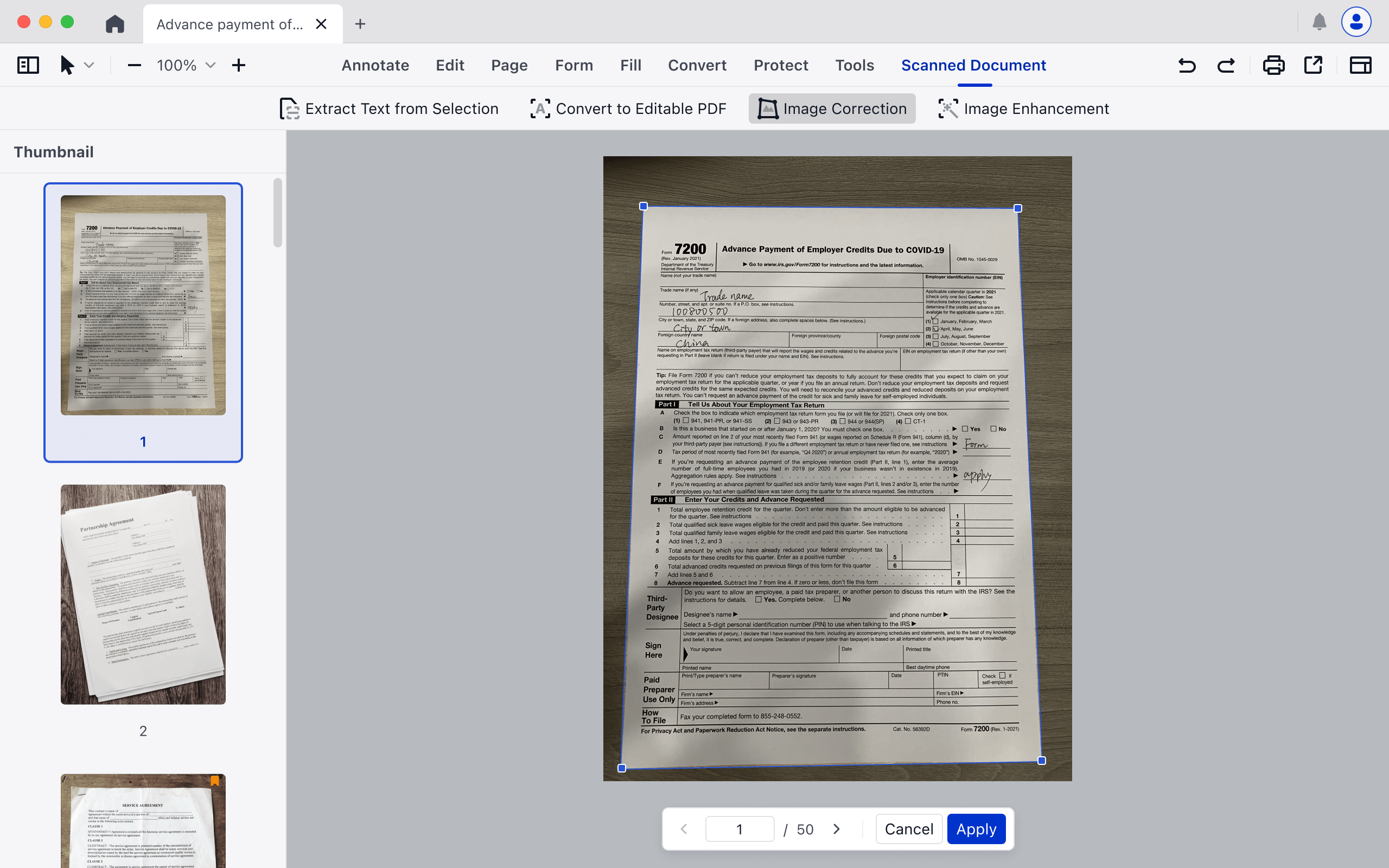
1.4 Auto & Manual Image Correction
Skewed scans, angled pages, or uneven lighting often reduce OCR accuracy. LynxPDF now automatically straightens pages, corrects perspective, and adjusts brightness/contrast. For users who want control, manual fine-tuning lets you tweak orientation, crop margins, and apply corrections only to problem areas.
Result: Higher recognition accuracy, especially in cases where the scanned document contains distorted text, without the need for an external image editor.
1.5 Image Enhancement for Old or Low-Quality Documents
One-click enhancement recovers faded text, increases contrast, and reduces shadows.
Real-world impact: Old contracts, historical documents, or low-resolution scans become readable and editable, allowing OCR to extract text that would otherwise be missed.
These upgrades turn OCR from a reactive correction tool into a proactive, workflow-focused solution. Every scanned page is faster to process, easier to edit, and more reliable — whether you’re dealing with modern digital scans or legacy paper documents.
2. Reinforced Document Security — More Transparency, More Protection
As OCR becomes more powerful, document security needs to keep pace. In V1.6.5, we focused on making verification clearer, encryption stronger, and trust signals easier for users to understand.
The goal is simple — You should immediately know whether a document is safe, unaltered, and trustworthy.
2.1 Clearer Signature Verification Logic
Digital signature checks are now more informative and more transparent. When verifying a signed PDF, LynxPDF now evaluates:
-
Document integrity — unchanged, modified, or unverifiable due to corruption
-
Permission status — no-edit rules, form-fill-only permissions, or full editing rights
-
Signer identity validity — valid or invalid certificate
-
Timestamp source — local device clock or a trusted time server

Image Source: Pixabay
This expanded verification flow removes ambiguity. Users gain a clear, readable assessment of the document’s trust level — no guesswork, no hidden states.
2.2 Stronger Default Encryption
To upgrade baseline protection, the default encryption method has been raised from 128-bit RC4 to industry-standard AES-256. This strengthens every protected document by default while preserving full compatibility across major PDF readers.
Together, these enhancements deliver a more transparent, more reliable document security experience — especially for teams managing sensitive files daily.
3. Core Editing Improvements — Subtle but Noticeable Upgrades
Not every improvement needs to be dramatic to matter. V1.6.5 brings a series of small but meaningful refinements that make everyday editing smoother, more consistent, and less interruptive.
You’ll notice:
-
More consistent UI behavior across tools
-
Cleaner navigation flow, with fewer unexpected jumps
-
Lighter, more responsive editing gestures
-
Reduced micro-interruptions in common workflows
These aren’t headline features — but they accumulate into a noticeably more fluid editing experience. Whether you’re annotating, reviewing, or making quick adjustments, the product can more effectively prevent distractions when you are focused.
A Cleaner, Faster, More Insightful Admin Console
While the product itself gets smarter, the Admin Console also receives one of its most meaningful upgrades yet.
V1.6.5 reshapes the console into a space where enterprise customers gain clarity faster, manage teams with fewer steps, and understand their subscription status at a glance.
Everything is cleaner, more connected, and more purpose-built for everyday administration.
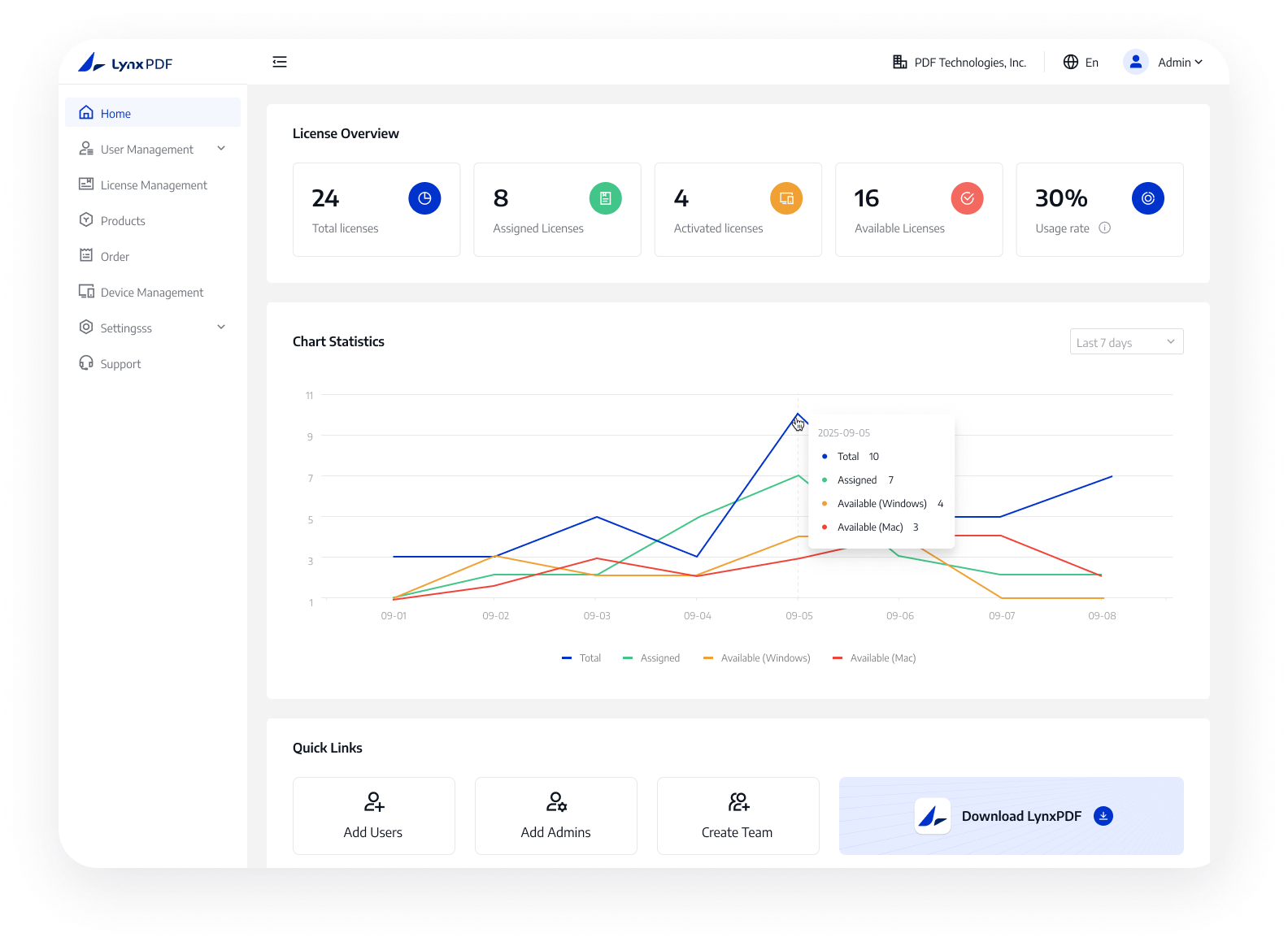
1. A Cleaner, More Informative Layout
The new layout strengthens brand visibility while making key information easier to access.
-
Clearer enterprise identity display, including company name and profile
-
A dedicated Account Info Card now surfaces enterprise benefits details
-
Licensing charts and quick-action shortcuts are reorganized for higher visibility
-
License distribution can be presented by platform (Mac / Windows), making the allocation status easier to track
These changes reduce visual noise and shorten the path to the information administrators need most.
2. Centralized Enterprise & Subscription Intelligence
To help organizations maintain clarity over entitlements and contract cycles, all enterprise information is now consolidated into a single, intuitive hub. Orders, subscription status, usage rights, and remaining service days are presented in a structured, readable format — complete with renewal reminders and direct purchase/renewal entry points.
This provides an operational advantage: admins can finally see exactly where the organization stands and take action without navigating multiple pages.
3. More Flexible and Insightful Team Management
Team management has been redesigned to better reflect real-world organizational structures. Admins can now build teams based on departments or functional units and quickly view usage by using dashboards.
Instead of managing users one by one, teams now have a clearer hierarchy, better visibility, and more data-driven oversight — giving enterprises the flexibility to grow without losing track of usage patterns.
4. Refined Licensing Management
License allocation is now more transparent and more predictable.
The updated Licensing page introduces:
-
A front-and-center license overview board (total/available/active)
-
A standout alert banner when there are no distributable licenses left
-
Support for multi-license activation on a single account — essential for users operating multiple devices
These changes reduce friction for IT administrators and help avoid common allocation blind spots.
5. Clearer Platform Insights for Device Management
Device management now distinguishes Windows and Mac activations more intuitively, supported by a visual device activation overview.
This separation helps IT teams troubleshoot platform-specific issues, ensure compliance, and monitor cross-platform usage without digging through manual records.
6. Updated Password & Authentication Flow
To complete the upgrade cycle, V1.6.5 refines core authentication processes:
-
Added third-party login options
-
Email-based verification for smoother onboarding
-
New dedicated pages for resetting and changing passwords
These updates create a full, modern authentication loop that is more secure and far more intuitive.
Together, these improvements transform the Admin Console into a more transparent, more efficient operating center — giving enterprise admins the clarity and control they need, without the clutter or complexity.
Conclusion — Better OCR, Better Stability and Better Control
LynxPDF V1.6.5 isn’t just another version number — it’s a step toward making everyday document work feel lighter, clearer, and more trustworthy.
From a more intelligent OCR engine, to strengthened security defaults, to a more intuitive Admin Console, every improvement in this release is designed with one goal in mind: Maximizing your team’s operational throughput while giving administrators the control needed to manage organizational risk and licensing costs.

Image Source: Pixabay
As we continue refining the experience, your feedback will remain the compass that guides our roadmap. If your team relies on PDF workflows, we invite you to explore the new version, try the updated tools, and see how much smoother your daily work can become.
Ready to reduce processing time and administrative overhead? Trial LynxPDF V1.6.5 — and experience a more capable, more secure document workflow built for modern teams.


