

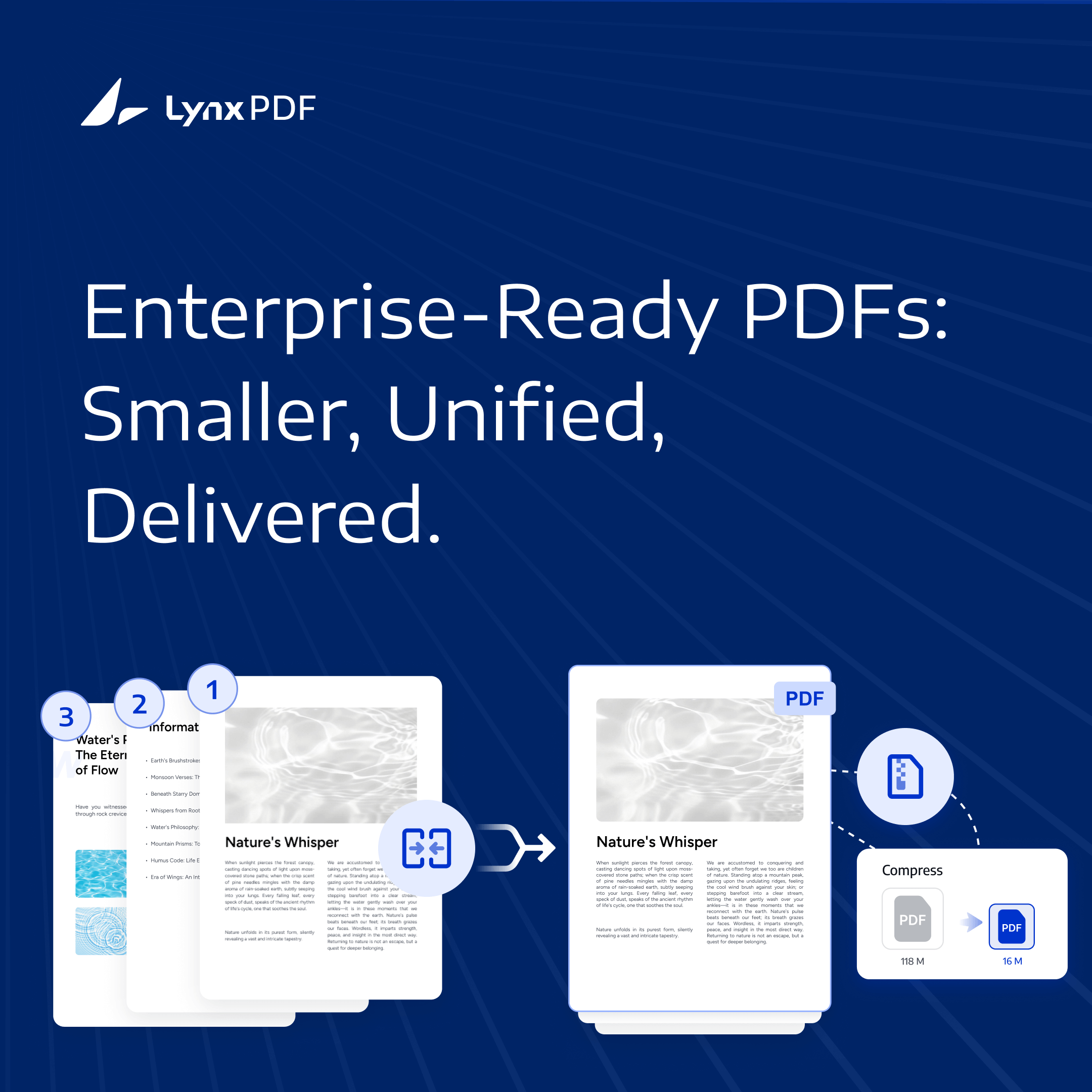
In many businesses, document delivery is where efficiency breaks down.
PDFs may:
-
Come from different sources and are hard to consolidate
-
Exceed email attachment size limits
-
Fail to upload to client portals or internal systems
-
Arrive as multiple attachments with no clear reading order
These issues aren’t caused by the content, but by poor structure and unmanaged file size at the final stage.
Image Source: Pixabay
In this article, we’ll explore how LynxPDF's merge PDF and compress PDF help businesses turn scattered, oversized files into clear, deliverable documents, and why this step is critical in enterprise workflows.
Merge PDFs — Bringing Dispersed Files into One Deliverable
In enterprise workflows, PDFs often originate from multiple teams and stages, resulting in fragmented information. However, before anything can be sent out, archived, or reviewed, these materials must be consolidated into one formal, external-ready PDF. Merging materials can create a single, polished document that establishes a clear reading order, minimizes friction from multiple attachments, and presents content cohesively.
This consolidation ensures the document is ready to share confidently with clients, partners, or management, reflecting the organization as a whole.
LynxPDF’s enterprise-oriented merge capabilities
LynxPDF is built for business workflows where PDF merging needs to follow a clear structure, page rules, and delivery standards.
-
Merge PDFs and images in one workflow
Combine PDFs and image files directly, eliminating extra image-to-PDF conversion steps and speeding up document preparation. -
Merge by page range, not entire files
Select only the pages needed to merge, keeping final documents focused and free from unnecessary content. -
Standardize page size at output
Set A3, A4, or custom page sizes during merging to ensure consistent formatting for sharing, printing, and archiving.
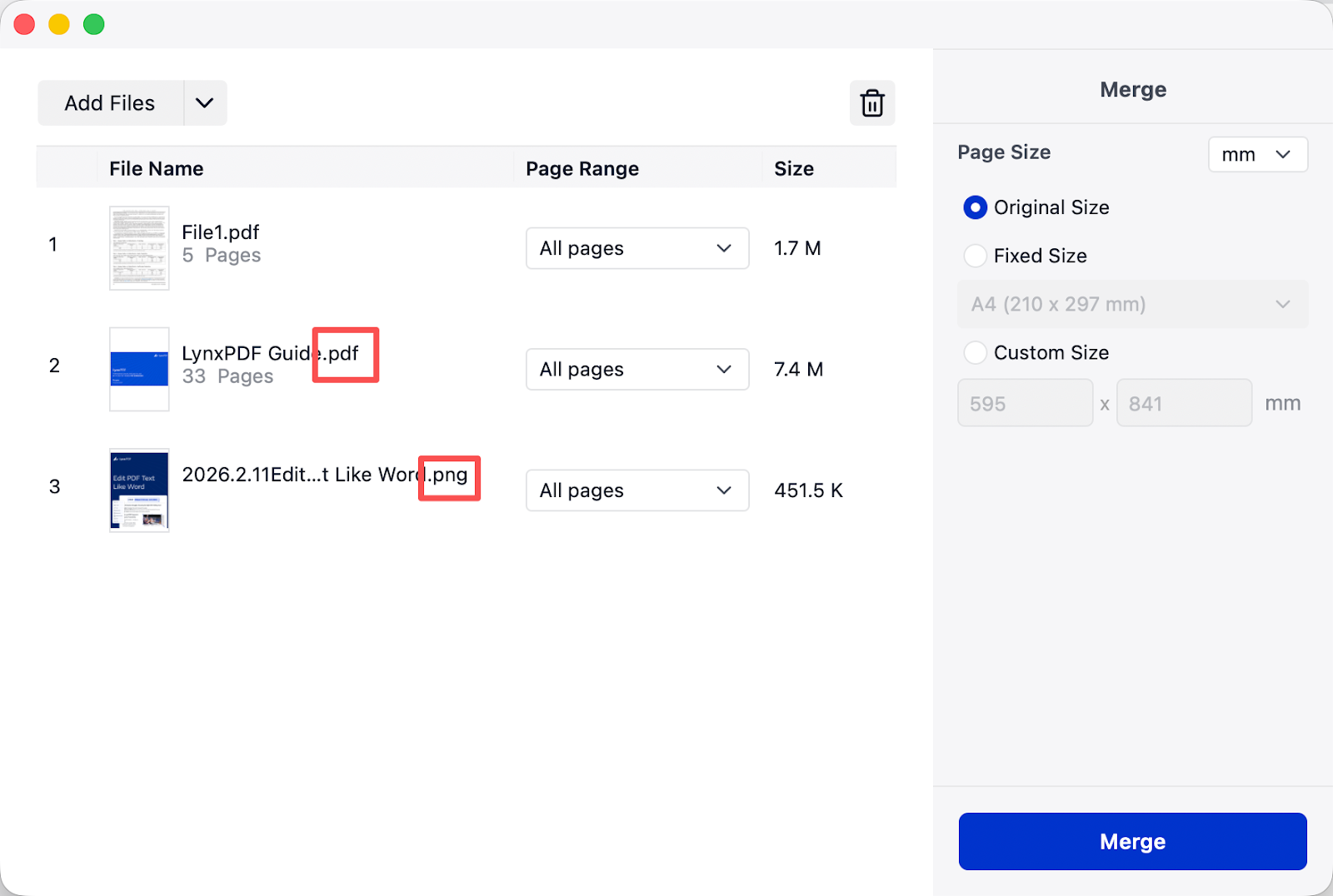
These capabilities make merging a deliberate, enterprise-ready process, helping teams move from scattered inputs to a structured, professional deliverable with minimal rework.
Compress PDFs — Making Large Files Ready to Share and Store
After multiple documents are merged into a single PDF, the file size often becomes a new bottleneck. Large PDFs are too large to upload or share efficiently. Compressing ensures files remain deliverable across client systems, CRMs, and approval platforms, reducing upload failures, download times, and storage costs.
In enterprise workflows, compression is not about “smaller,” but about “deliverable.”
LynxPDF’s Compression Capabilities
-
Single-file and batch compression
Compress individual PDF or batch compress, suitable for both one-time deliveries and large document archives. -
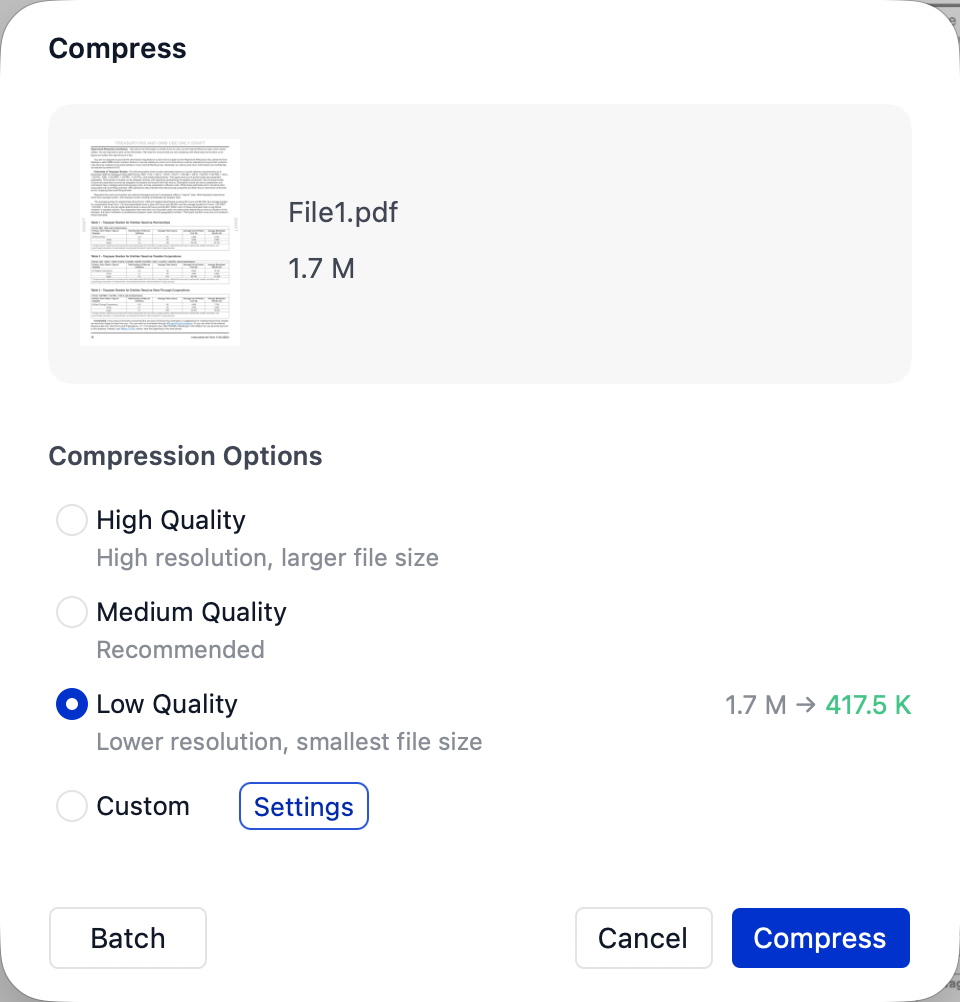
Quality preset choices & Predictable results
High, Medium, and Low Quality options help balance file size and clarity without manual tuning. And file size before and after compression is clearly shown, making outcomes easy to control.
-
Advanced custom settings
For scenarios that require finer control, LynxPDF provides advanced options: -
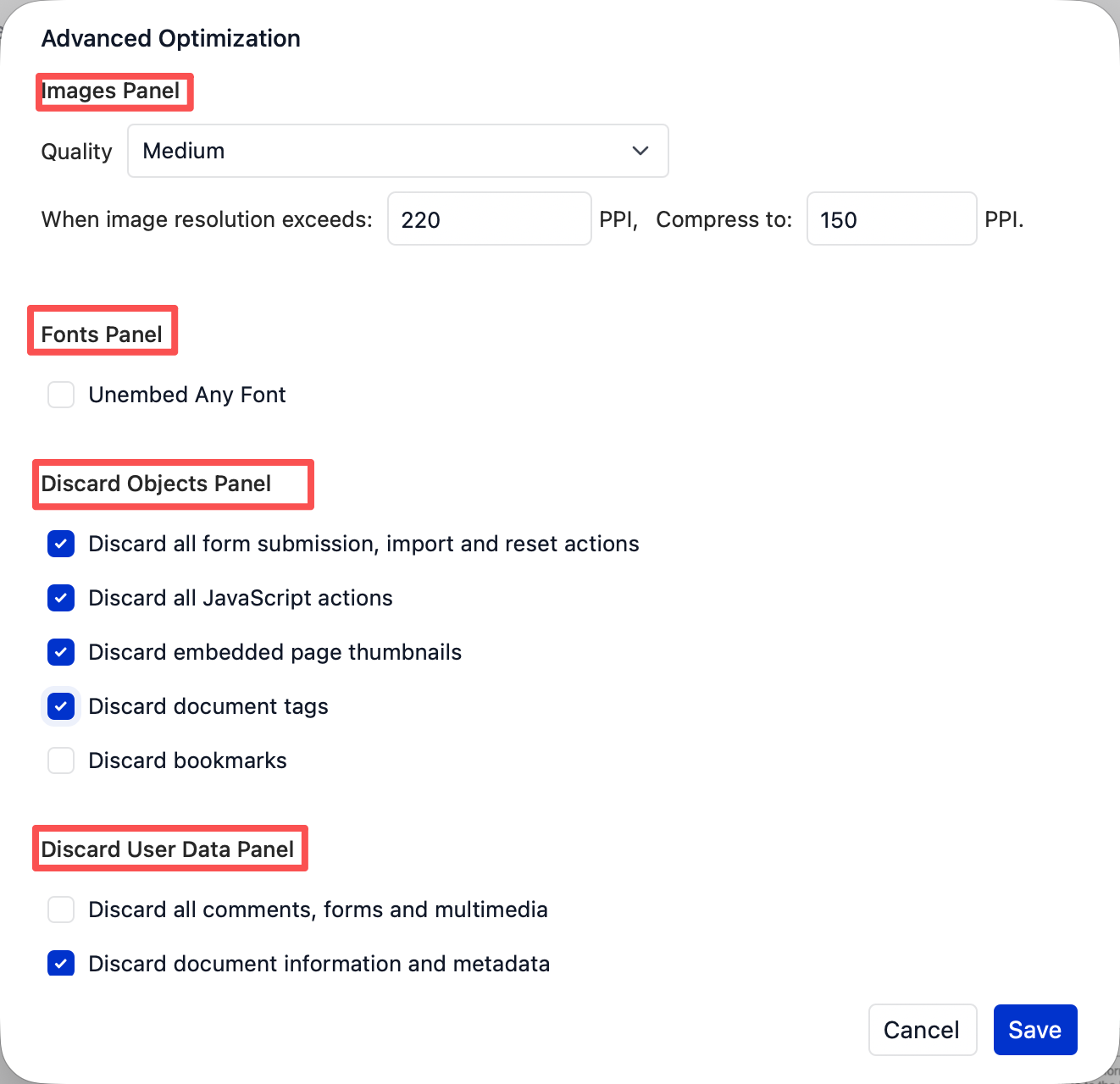
Image and font optimization: Configure compression settings for images and fonts to keep file size within required limits, balancing image clarity (PPI) and font compatibility to ensure deliverable PDFs maintain professional visual quality.
-
Removal of non-essential data: Remove elements such as form actions, JavaScript, metadata, comments, attachments, invalid bookmarks, and broken links.
LynxPDF Supports Enterprise-Ready PDF Delivery
LynxPDF is built to reduce friction across this entire process in real business environments—helping teams move from scattered files to a stable, ready-to-deliver PDF with fewer revisions and less uncertainty.
Merge solves the structure, and compress solves delivery. Together, they form a reliable workflow that supports real enterprise use cases.
Scenario 1: External Bids and Contract Packages
Before submitting bids, contracts, or project deliverables, companies often need to combine PDFs from legal, finance, and business teams into one formal document.
With LynxPDF, teams can merge multi-department PDFs into a single, well-ordered file, standardize page size, and then compress the result to meet platform or system limits—producing a submission-ready version in one flow.
Scenario 2: Cross-Department Internal Reporting
Monthly or quarterly reports are typically created by different teams and later consolidated for management review or internal systems.
LynxPDF helps merge these files into a clear reading sequence and apply medium or high-quality compression to reduce file size while keeping charts and visuals readable—streamlining team document sharing.

Image Source: Pixabay
Scenario 3: Client-Facing Materials and Distribution
Sales decks, technical documents, and project materials are often delivered as a single folder to clients or partners.
Using LynxPDF, teams can combine scattered materials into one PDF and compress it to a size suitable for email or client platforms, ensuring smoother delivery and faster access for recipients.
Conclusion: A More Reliable PDF Workflow with LynxPDF
For business document delivery, reliability comes from getting structure and size right the first time. Merging defines how a document is read; compressing ensures it can be delivered without friction. LynxPDF brings these two steps together, helping teams prepare professional, delivery-ready PDFs with less rework and more certainty.
Download LynxPDF and start your free trial to streamline PDF delivery in real business workflows.


